
Choose your plan
Every new account starts with a 14-day Portfolio trial, no credit card. Choose Scanner, Portfolio, or Alpha when it ends.
Sign in or create an account to start your 14‑day free trial.
Scanner
Scan your whole watchlist at once.
- Multi‑ticker covered call and cash‑secured put scans across your watchlist
- Multi‑ticker call buying and spread scans
Portfolio
Most PopularConnect your live portfolio, scan it, and backtest the full wheel.
- Everything in Scanner
- Live broker sync (33+ supported brokers; daily auto-refresh for IBKR Flex)
- Portfolio Scanner for comprehensive recommendations
- Strategy backtesting for covered calls and puts
- Full wheel backtesting with buy‑and‑hold comparison
- Real‑time portfolio alerts and notifications
- MCP Portfolio access - let your AI agent see what you see and help you with your trading decisions
Alpha
Build the product with me.
- Everything in Portfolio
- Priority email support with direct team access
- Direct roadmap input — your feature requests get built first
Compare tiers
Pick the plan that matches your workflow.
| Feature | Scanner | Portfolio | Alpha |
|---|---|---|---|
| Portfolio analytics (CSV upload) | Included | Included | Included |
| Chrome extension portfolio snapshots | Included | Included | Included |
| Single‑symbol covered call & put scans | Included | Included | Included |
| Multi‑symbol scans | Included | Included | Included |
| Live broker sync (33+ supported brokers) | — | Included | Included |
| Portfolio Scanner | — | Included | Included |
| Wheel backtesting + buy & hold benchmark | — | Included | Included |
| Portfolio alerts | — | Included | Included |
| MCP connector — AI agent portfolio access | — | Included | Included |
| Priority support + direct roadmap input | — | — | Included |
Multi-broker auto-sync
Connect via SnapTrade for 32+ brokers, IBKR Flex, or CSV upload. One-click sync; IBKR Flex also auto-refreshes daily.
Coverage + income
See what’s covered, what’s not, and how premiums translate into weekly/monthly income.
Demystify your portfolio
Connect 33+ brokers via SnapTrade or IBKR Flex. Get instant insights into income, coverage, and true ROI.
Try in 60 seconds
Jump into a demo portfolio with sample positions, trades, and strategy simulations.
See what you get
Coverage, income tracking, and strategy simulations.
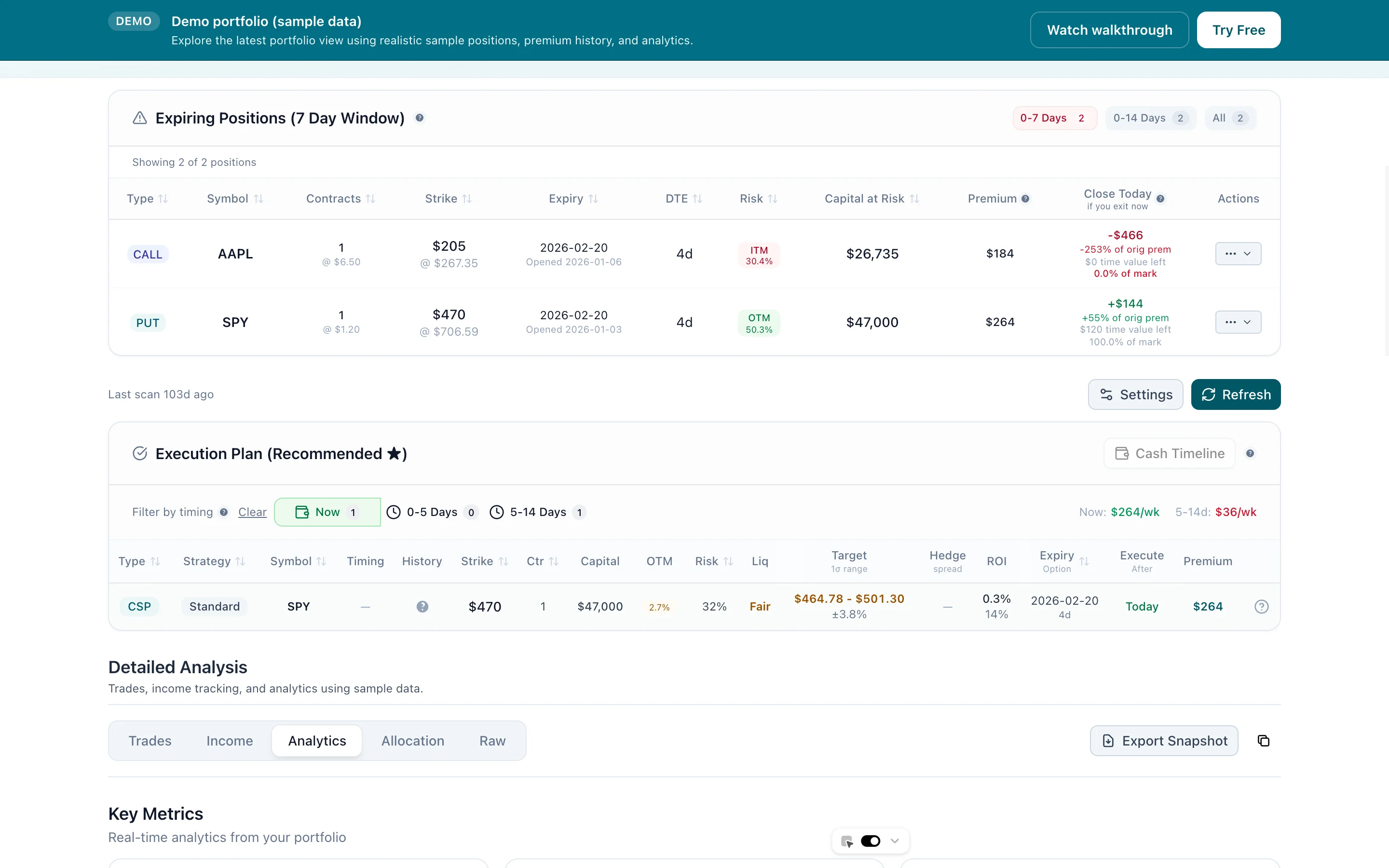
Portfolio Scanner: AI-powered execution plans
1 / 10
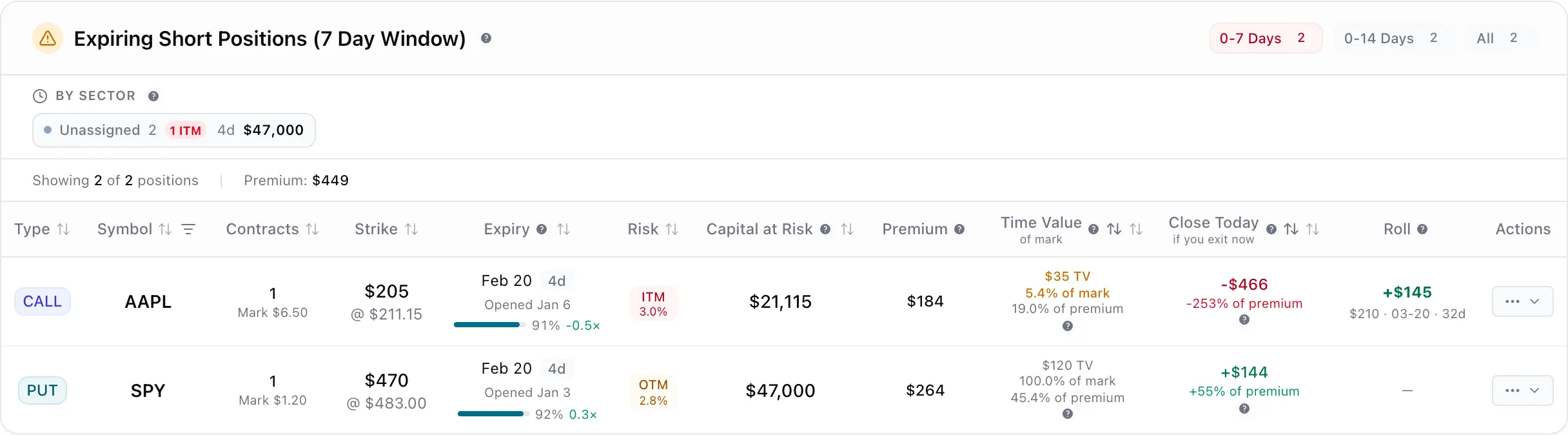
Smart trade recommendations for your holdings
2 / 10
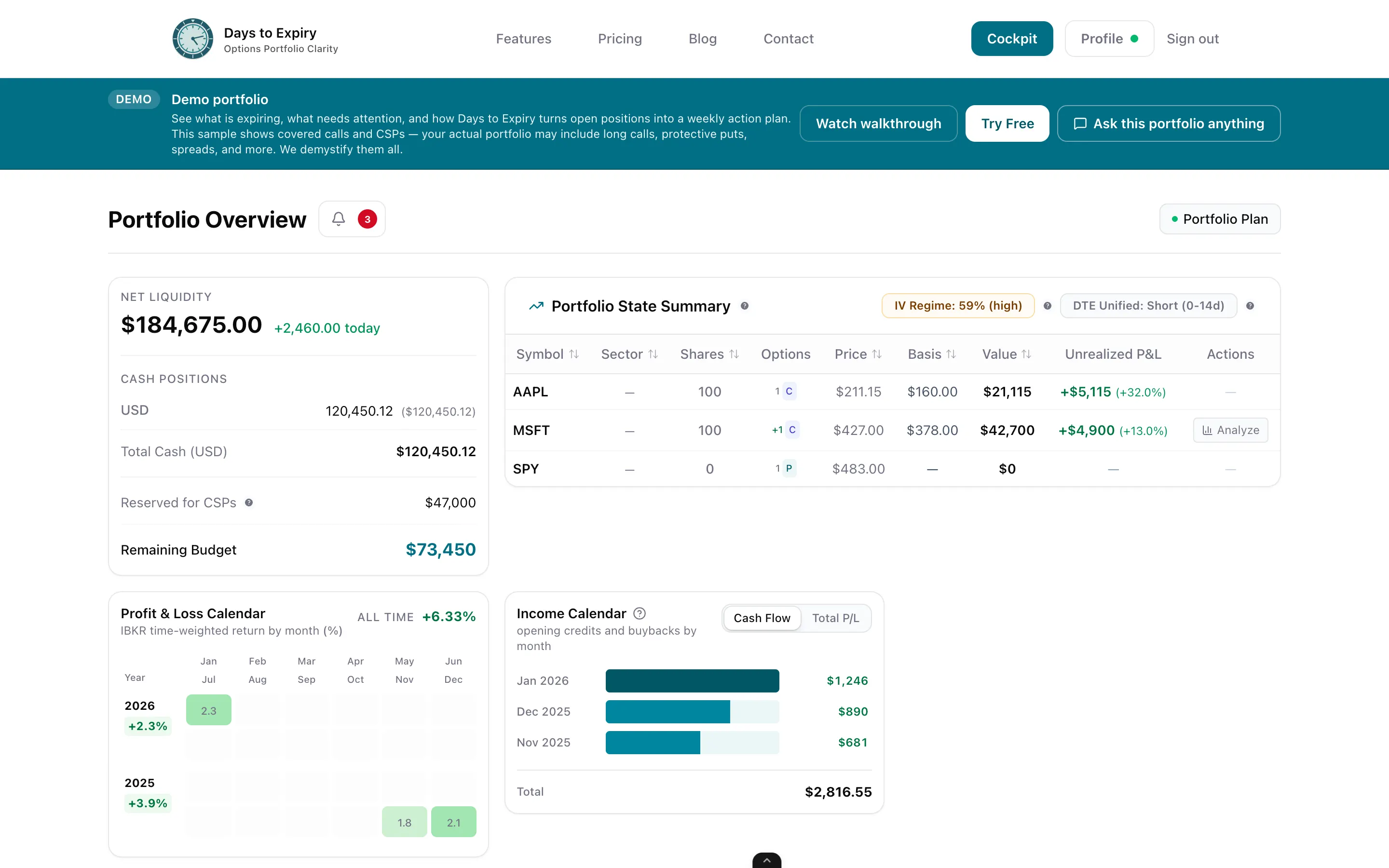
Complete portfolio overview + expiring positions
3 / 10
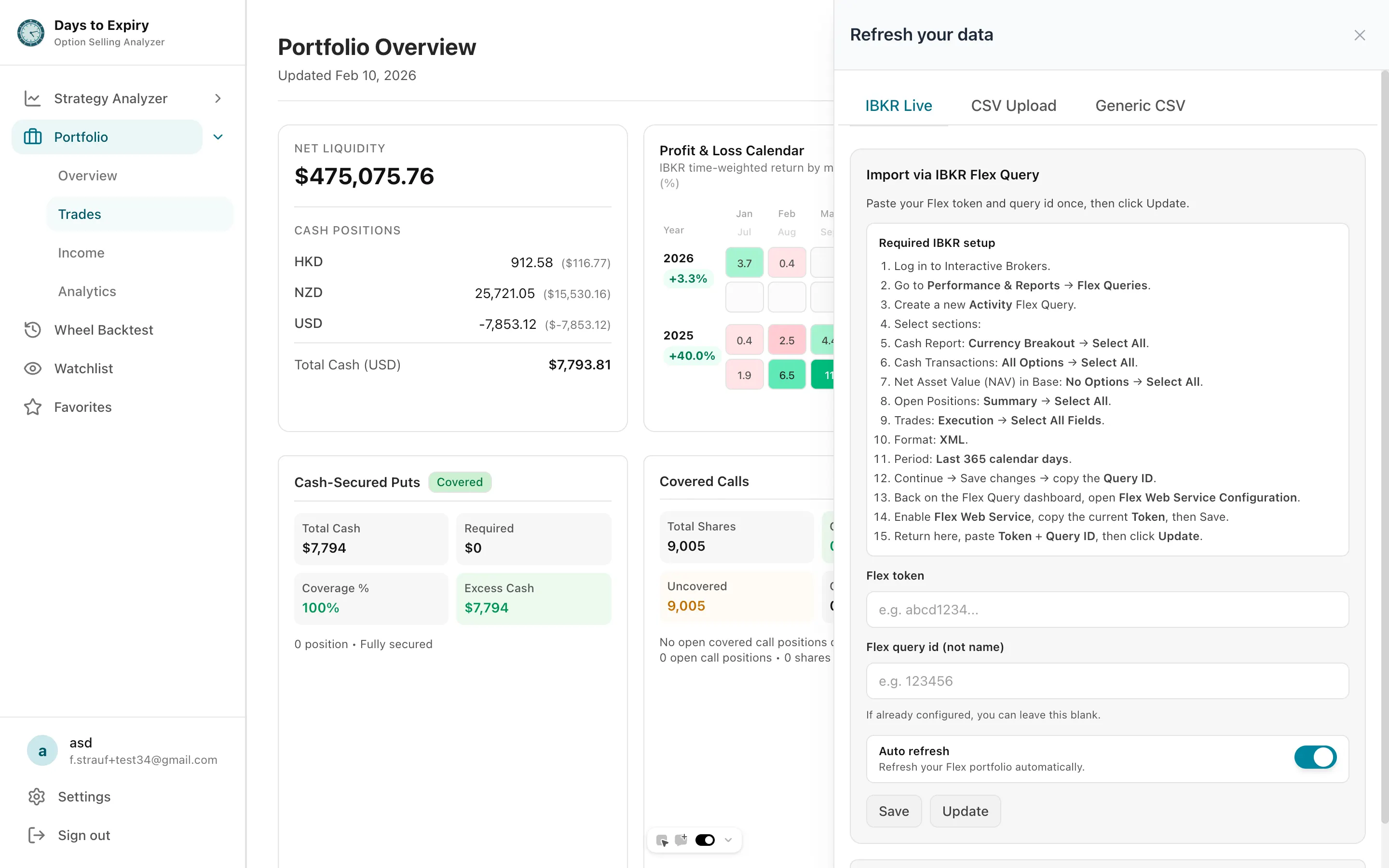
IBKR auto-sync + portfolio overview
4 / 10
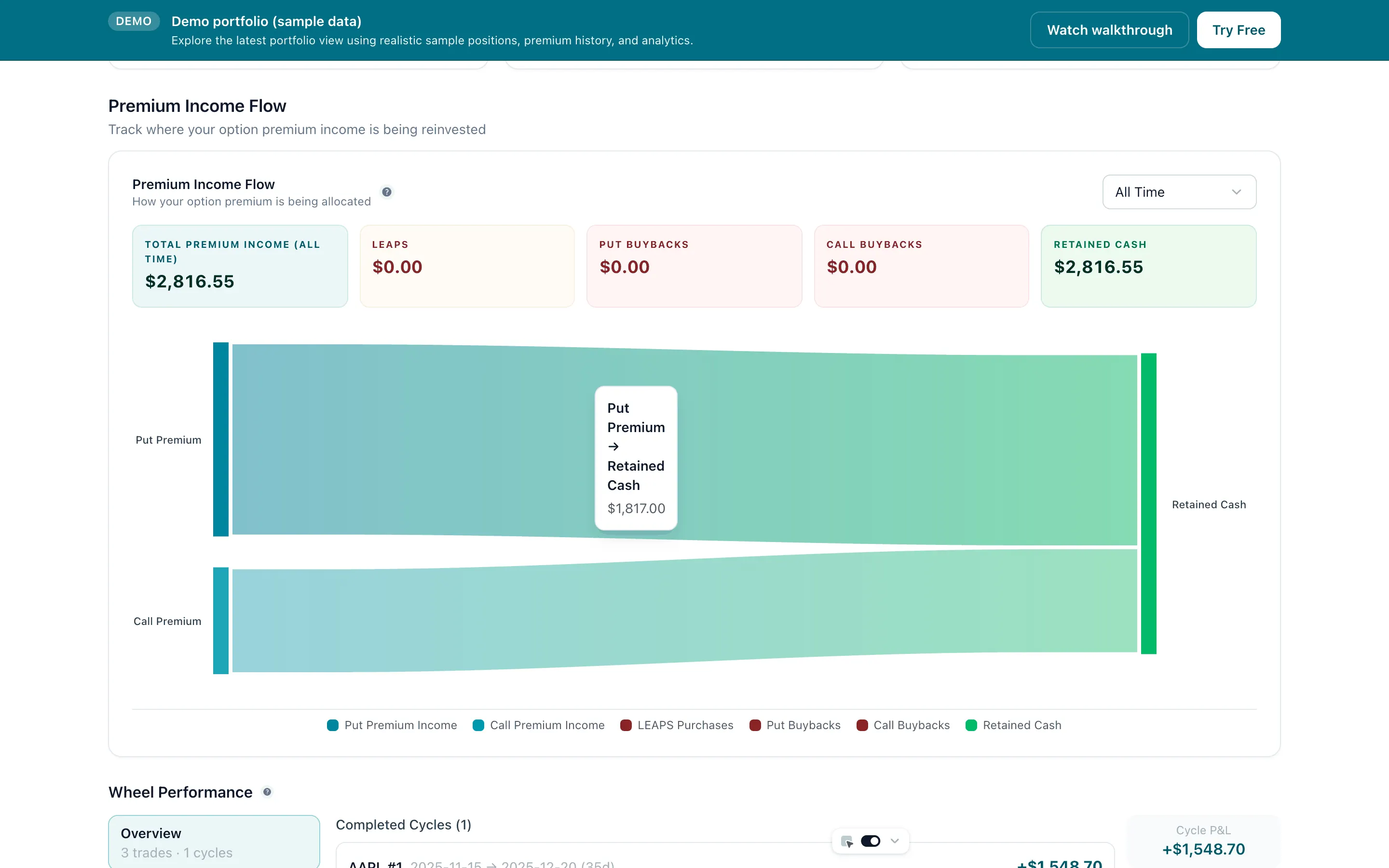
Visual income breakdown by source
5 / 10
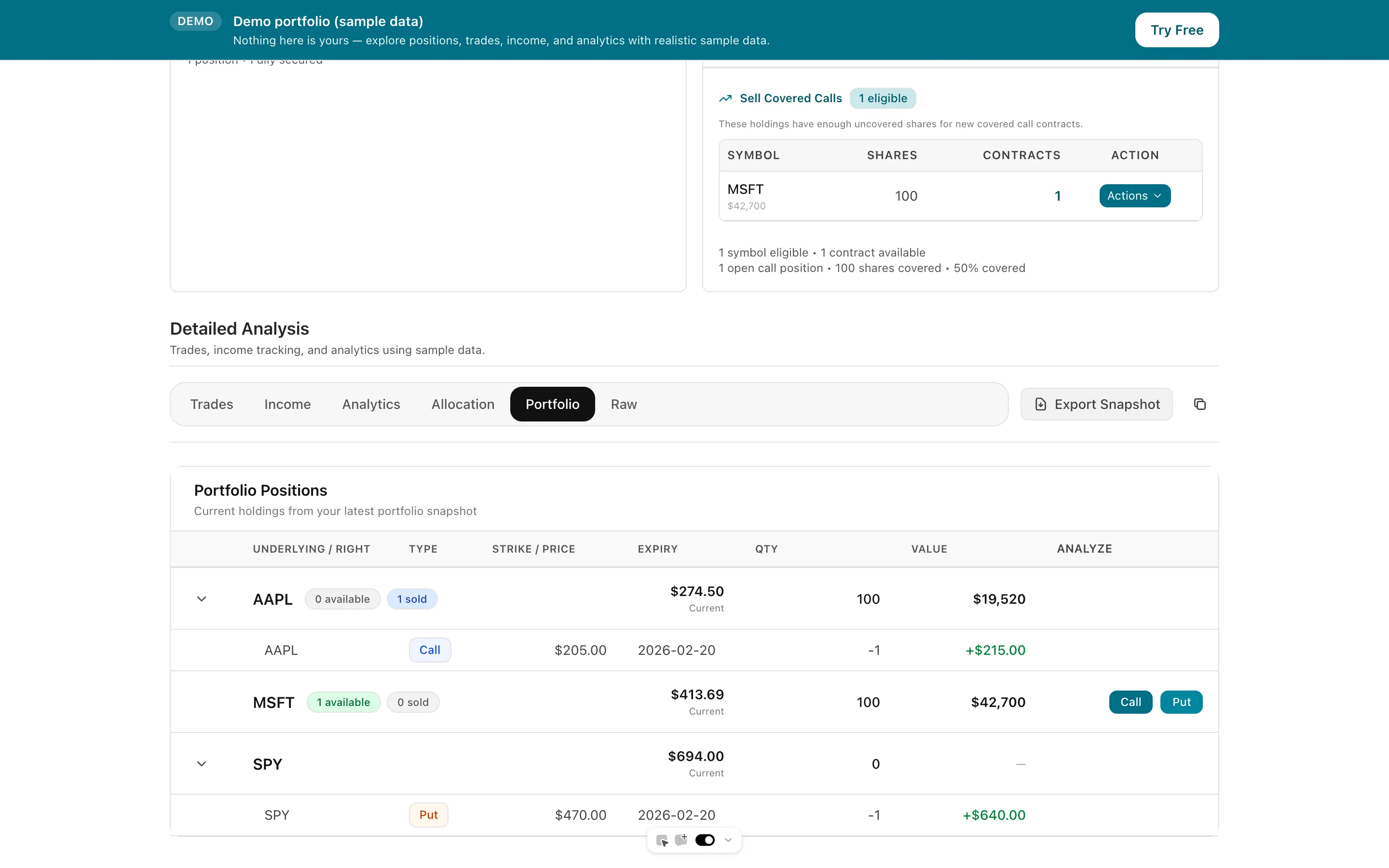
Wheel trade tracking + history
6 / 10

Wheel backtests vs buy & hold
7 / 10
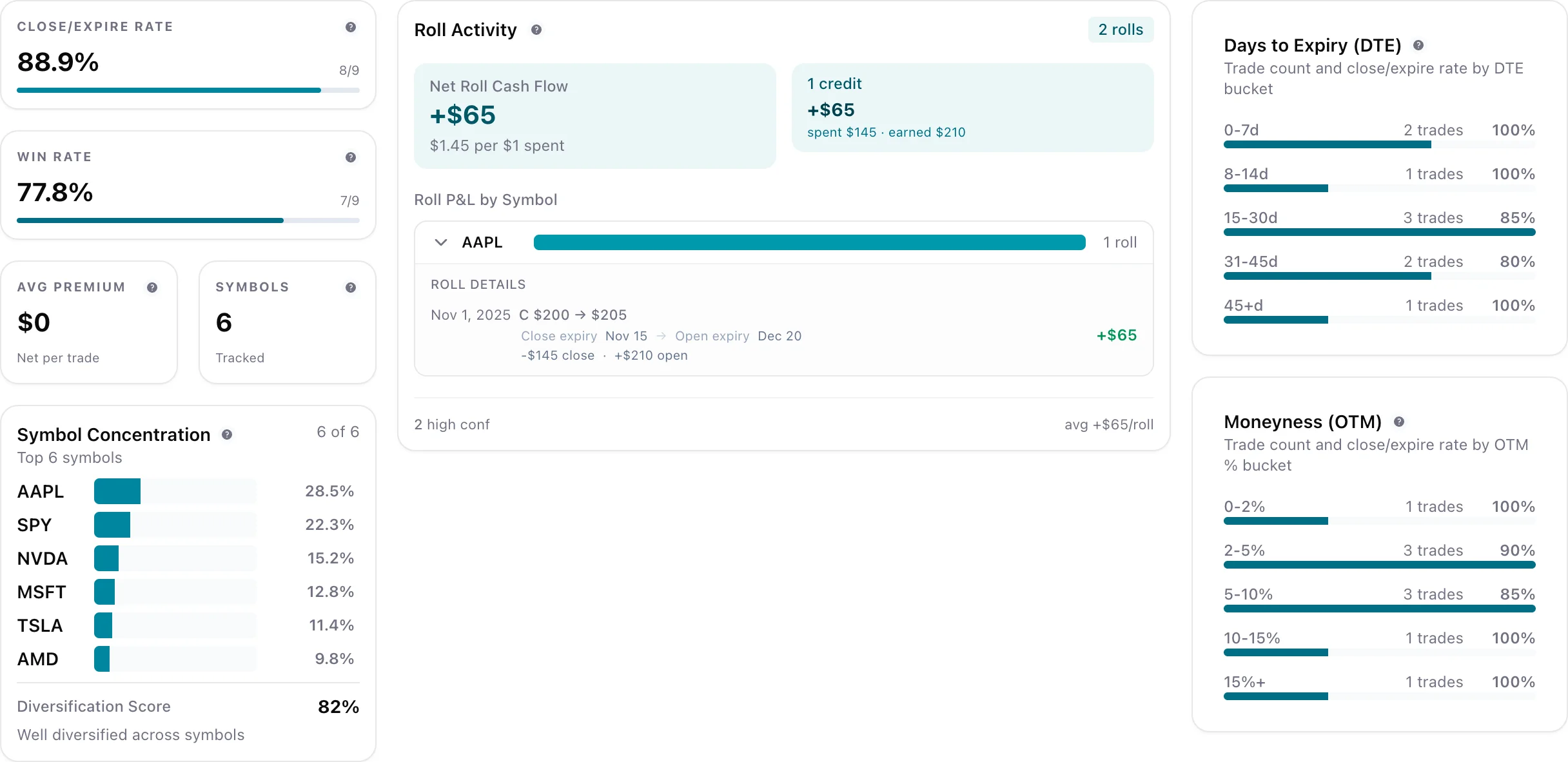
Analytics (income, DTE/OTM, performance)
8 / 10

Coverage analyzer (calls + CSP coverage)
9 / 10
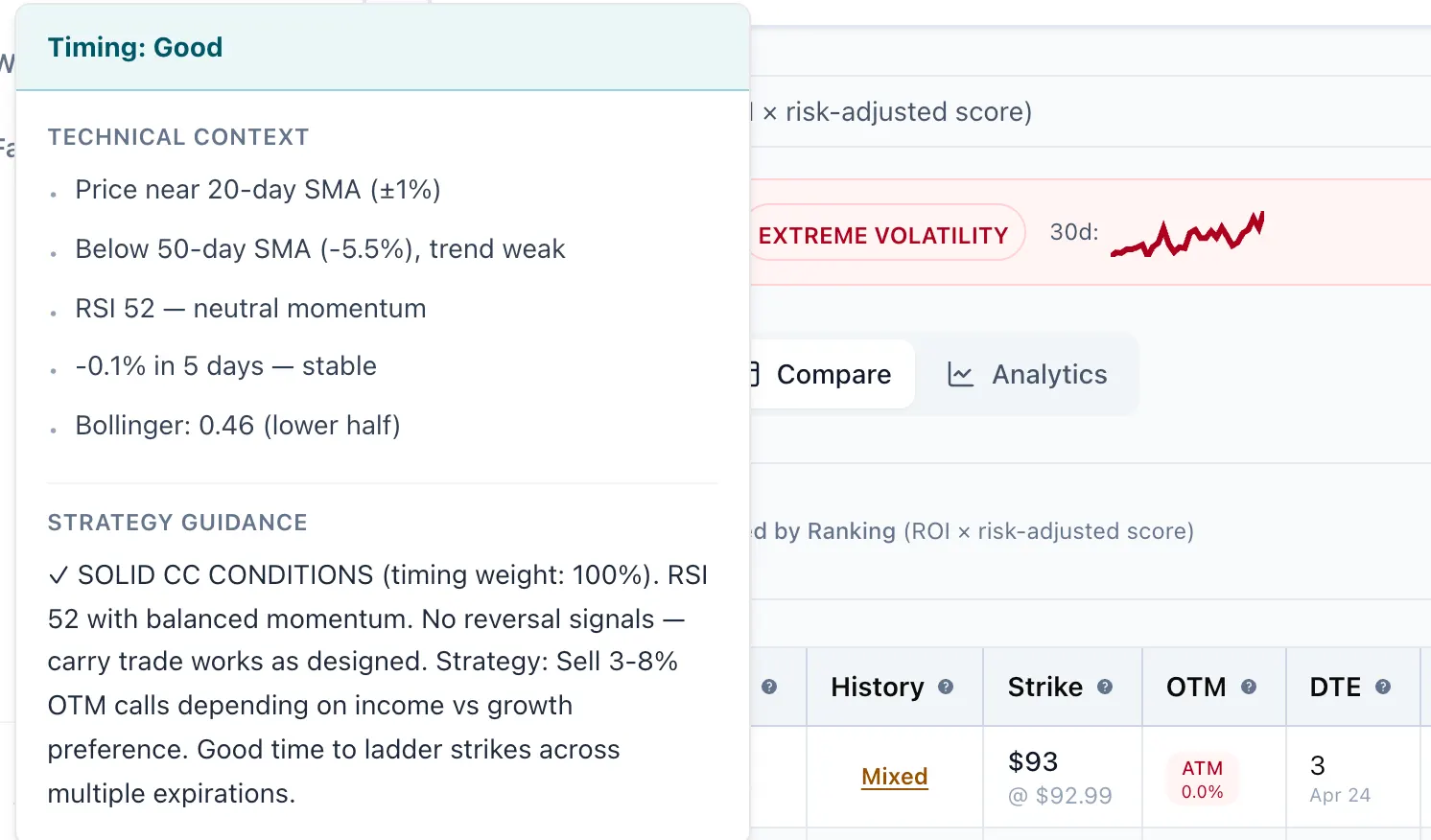
Scanner timing recommendations (DTE + OTM)
10 / 10
← Swipe to browse →
Frequently asked questions
Have a different question? Reach out to our team.
Do I need a credit card to start?▶
No. Creating an account starts a 14-day Portfolio trial. We only ask for a card when you choose a paid plan.
What happens when the trial ends?▶
Nothing is charged, because there is no card on file. Paid features lock until you choose a plan, and live broker sync resumes on Portfolio or Alpha. If your trial has already expired, reconnect any SnapTrade broker connection after subscribing. Portfolio history is kept for 90 days. The demo portfolio stays free.
Can Days to Expiry place trades or move money in my broker account?▶
No. Broker connections are read-only. You sign in to your broker through SnapTrade's portal, or paste an IBKR Flex report token; we never receive your broker password.
How do I cancel?▶
During the trial there is nothing to cancel; it simply ends. On a paid plan, cancel from your profile and keep access until the end of the billing period.
Can I change plans?▶
Yes. Upgrade or downgrade anytime — charges prorated automatically.
Monthly or annual billing?▶
Portfolio and Alpha are available monthly or annually; annual billing costs less per month. Scanner is billed annually. See the exact prices on each plan above.
Invite teammates?▶
Portfolio and Alpha include seat sharing. Need more seats or SSO? Contact us.
Custom/enterprise?▶
We tailor seats, security, and data residency for desks and enterprises. Contact us via our contact page.
Ready to try it on your portfolio?
Start a 14-day free trial or explore the demo, then choose Scanner, Portfolio, or Alpha. Secure Stripe checkout when you're ready.
Secure Stripe checkout. No hidden fees.