
How to Sell IBKR Cash Secured Puts: A Complete TWS Walkthrough
IBKR cash secured puts are an options strategy where you sell put contracts on Interactive Brokers while holding enough cash to buy the underlying stock if assigned. This generates premium income while potentially acquiring stocks at a discount. IBKR's low commissions and advanced tools make it ideal for managing CSP trades efficiently in 2025.
Why Interactive Brokers for Cash-Secured Puts
Interactive Brokers is consistently rated among the top brokers for options traders due to their low commissions ($0.65/contract), professional-grade TWS platform, and Portfolio Margin capabilities for qualified accounts [source: Barron's Best Online Brokers, 2024]. According to the Options Industry Council (OIC), commission costs can significantly impact options strategy returns, making low-cost brokers like IBKR advantageous for high-frequency income strategies [source: OIC, "Cost Considerations in Options Trading," 2023].
The TWS (Trader Workstation) platform, while initially intimidating, provides institutional-quality tools including real-time Greeks, probability analysis, and the Option Trader module that streamlines multi-leg strategies like cash-secured puts.
Find CSP Stocks for Your Style
Answer 3 quick questions and we'll find live CSP candidates you might be comfortable owning.
What kind of stocks would you be comfortable owning?
CSPs can end with assignment, so pick businesses you don't mind holding.
Watch the short
IBKR Cash Secured Puts: How to Sell on Interactive Brokers TWS
You've read about cash-secured puts. You understand the mechanics—you sell a put option, collect premium, and potentially buy 100 shares if the stock drops below your strike price. You know the risks and the income potential. Now you want to actually do it.
This guide walks you through the entire process on Interactive Brokers Trader Workstation (TWS)—from logging in to executing your first trade. It's the bridge between theory and practice, designed for traders who are ready to take action.
After You Place the Trade, Track It Properly
Turn IBKR activity into a clean options review workflow.
Once your first CSP is live, the real work is reviewing premium, assignment risk, covered call follow-up, and portfolio-level income without digging through TWS screens.
IBKR Trade Review
Turn activity statements and portfolio data into clearer trade history, premium tracking, and position context.
Portfolio Analytics
See active puts, assignment status, and next decisions in one place instead of jumping between TWS views.
Already trading on IBKR? Upload your activity statement to our IB Portfolio Analyzer to track your trades, calculate realized income, and see coverage status—or use our Chrome Extension for real-time portfolio monitoring directly in your browser.
📊 Estimated time: 7 minutes to learn | 15 minutes to execute your first trade
⏳ Last updated: March 19, 2026
What You'll Learn
- ✓ Check your IBKR account level and cash requirements
- ✓ Navigate the options chain and select a strike price
- ✓ Calculate annualized ROI before you trade
- ✓ Place and monitor your first CSP order with the right settings
- ✓ Understand assignment mechanics and your next steps
- ✓ Avoid the most common mistakes beginners make
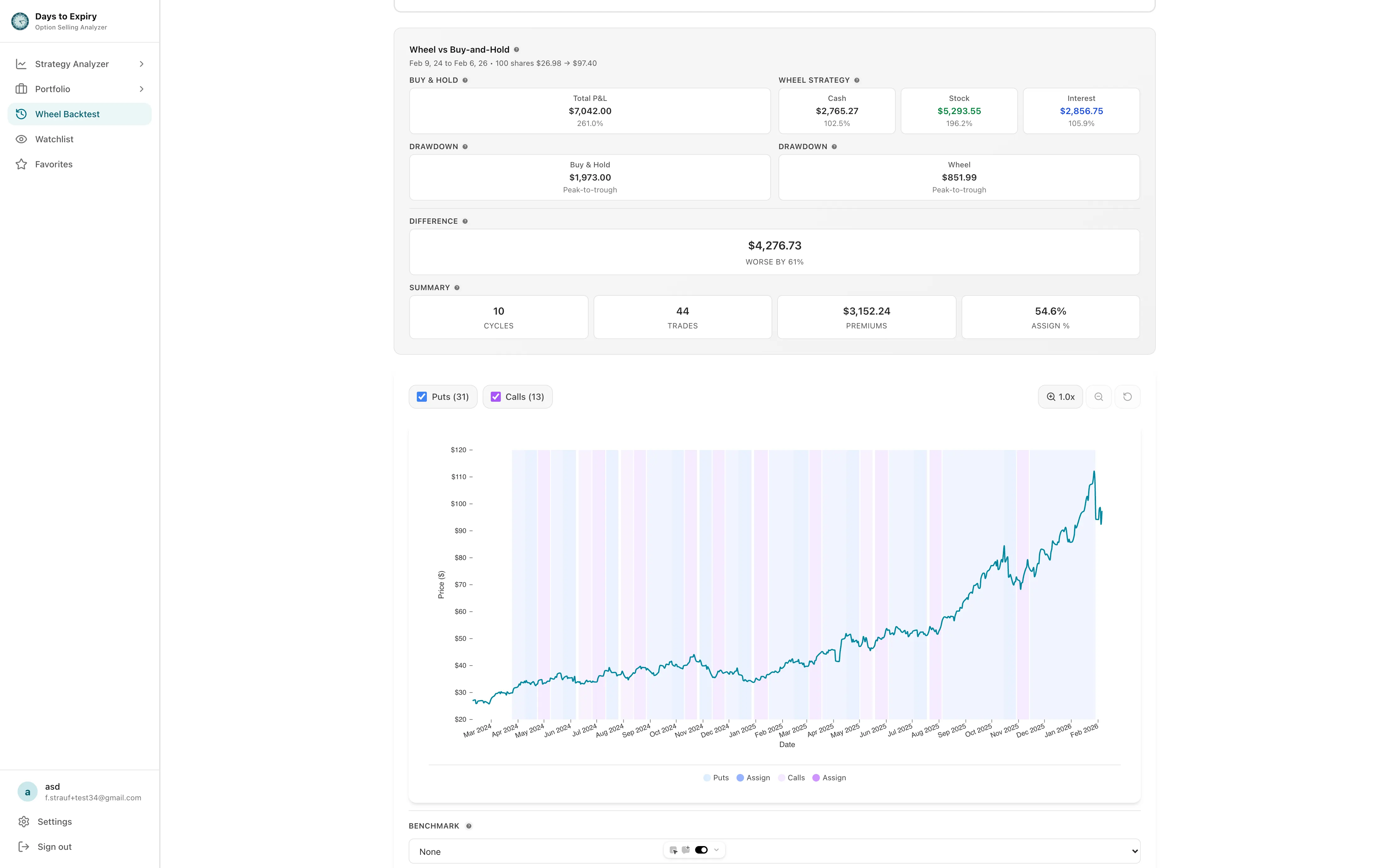 Backtesting covered calls strategy performance across market conditions
Quick Start (TL;DR)
Minimum requirements:
- IBKR account with Level 2 options approval
- Cash on hand = Strike Price × 100 (e.g., $10K for a $100 strike)
- Stock you'd actually buy at your chosen strike price
30-second flow:
- Log into TWS → Search stock (e.g., MSFT) → Right-click → "Option Chain"
- Pick an expiration 20+ days out (monthly recommended)
- Choose a strike 2–4% OTM where you'd be happy to own the stock
- Check annualized ROI is 2%+ (use calculator below)
- Right-click the put → Sell → Set as LIMIT order at bid price → Submit
Example: Sell MSFT $410 put for $2.10 premium = 6.2% annualized on 30-day trade
After You Place the Trade: How Days to Expiry Tracks It
The steps in this guide get the order live. The next part of the workflow is making sure the position stays understandable once it moves into the rest of your portfolio.
- Trade visibility: Review the premium you collected, the capital committed, and how that position fits with the rest of your active options.
- Assignment follow-up: If the CSP gets assigned, move naturally into covered call or wheel management instead of starting over in a spreadsheet.
- Portfolio context: See what else is open, what is close to expiration, and what deserves attention next.
- IBKR workflow cleanup: Replace scattered TWS views with a clearer portfolio-level review surface.
See What Post-Trade Portfolio Review Looks Like
Explore a demo options portfolio with positions, premium tracking, and analytics before connecting your own IBKR workflow.
Want to track your own portfolio? Import your trades and see analytics like this.
If you want the IBKR-specific setup and analytics overview first, open the Interactive Brokers Options Portfolio Analyzer. If you are ready to create an account and jump straight into portfolio review, go to Portfolio View.
Early CTAs: Master Your CSP Strategy
Want to pick the right stocks? → Read our Stock Screening Guide for CSPs
Ready to optimize entry timing? → Learn IV & DTE Timing
Going beyond your first trade? → Get the full CSP Playbook with DTE Strategies
Table of Contents
- Pre-Flight Checklist
- Step 1: Open the Options Chain
- Step 2: Pick Your Expiration Date
- Step 3: Choose Your Strike
- Step 4: Calculate Your Return
- Step 5: Place the Order
- Step 6: Submit the Order
- Step 7: Monitor the Order
- Step 8: Confirm Your Position
- Step 9: Monitor Until Expiration
- Step 10: Assignment Day
- Common Mistakes to Avoid
- Tax Considerations
- FAQ
- Your First Trade Checklist
Before placing your first trade, review the Cash-Secured Puts Playbook for DTE strategy, Best Stocks for CSP for finding suitable underlyings, and Cash-Secured Puts vs Covered Calls if you are considering alternative income strategies.
Pre-Flight Checklist: Before You Log In
1. Verify Your Account Type Supports Options
Not all Interactive Brokers accounts can trade options. You need at least:
- Account type: Individual accounts work. Company/trust accounts may have restrictions.
- Account status: Account must be fully opened (not pending verification)
- Options level: You need "Level 2" options approval minimum (CSPs are Level 2)
To check:
- Log into Trader Workstation (TWS)
- Go to Account → Account Settings
- Scroll to "Options Approval" section
- Confirm: "Level 2 - Covered Calls & Protective Puts" or higher
If you have Level 1, you'll need to upgrade. Go to the "Profile" section and request an upgrade. IBKR typically reviews these requests within 1-2 business days.
2. Ensure You Have the Right Cash
Cash-secured puts require a cash buffer equal to the strike price × 100.
Example: You want to sell a $100 strike put. You need $10,000 in cash available.
Check your cash:
- TWS home screen, look at "Account Summary"
- Find "Cash (USD)" or "Available Funds"
- Confirm you have enough for your trade + 10% buffer (in case of margin calls)
Pro tip: IB allows margin accounts, but for CSPs, you typically need to reserve the full strike price in cash. Some margin-eligible accounts can use reduced buying power (20-30% down), but we'll assume you're using full cash security for simplicity and safety here.
3. Pick Your Target Stock in Advance
Don't browse the options chain aimlessly. Know your stock before you log in.
Ideal CSP candidates:
- Blue-chip stocks you'd be happy to own long-term
- Liquid options (tight bid-ask spreads under $0.05)
- Strike prices that fit your account size
- No earnings in the next 30 days (avoid earnings volatility)
Small account considerations: If you have under $10,000, focus on stocks under $50/share to maintain diversification. [TODO: link to small account CSP guide]
Step 1: Open the Options Chain
Now let's get into TWS and find your trade.
Method A: From the Watchlist
- Open TWS and log in
- Find your stock in the watchlist (or add it: right-click → Add Row → enter ticker)
- Right-click the stock ticker
- Select Option Chain (or "Options" → "Option Chain")
Method B: From the Order Entry
- In the Order Entry panel (top of TWS), type your stock ticker
- Change the instrument type from "Stock" to Option in the dropdown
- Press Enter or click the search icon
What You'll See
The Option Chain displays:
- Calls on the left (we're ignoring these for CSPs)
- Puts on the right (this is where we're working)
- Strike prices in the center column
- Expirations selectable at the top
The puts section shows bid/ask prices, volume, and open interest for each strike.
Key column meanings:
- Bid: What buyers are willing to pay (your likely fill price when selling)
- Ask: What sellers want (ignore this—it's too high)
- Volume: Contracts traded today (higher = more liquid)
- Open Interest: Total outstanding contracts (higher = better liquidity)
Step 2: Pick Your Expiration Date
At the top of the option chain, you'll see expiration dates. Click the dropdown to view all available expirations.
Expiration Guidelines for CSPs
| DTE (Days to Expiration) | Best For | Annualized Return | Assignment Risk |
|---|---|---|---|
| 7-14 days | Income-focused, active traders | Higher (theta decay accelerates) | Moderate |
| 21-45 days | Balanced approach (recommended) | Good | Lower |
| 60+ days | Lower maintenance, conservative | Lower | Lowest |
Recommendation for beginners: Start with 30-45 DTE. This gives you time to be right while collecting meaningful premium.
How to Select in TWS
- Click the expiration dropdown at the top of the option chain
- Look for dates 3-6 weeks out
- Check if any earnings announcements fall before expiration (avoid these)
- Click your chosen date to load those strikes
Red flag: If you see a big jump in implied volatility or premium for nearby dates, check for earnings. Selling CSPs right before earnings is risky—you could face sharp moves that push the stock below your strike.
Step 3: Choose Your Strike
Now the critical decision: which strike price?
Strike Selection Framework
Out-of-the-Money (OTM) puts: Strike below current stock price
- Lower assignment probability
- Lower premium
- Higher annualized returns (capital efficiency)
At-the-Money (ATM) puts: Strike near current stock price
- ~50% assignment probability
- Higher premium
- More capital required for same return %
Rule of thumb: Start with strikes 2-5% below current price (slightly OTM). This gives you a margin of safety while still collecting worthwhile premium.
How to Select in TWS
- In the puts section (right side), find the strike column
- Look at the current stock price (shown at the top)
- Calculate 2-5% below that price
- Find the closest strike to that level
- Check the bid price for that strike
Example:
- Stock: MSFT at $420
- 3% OTM = $420 × 0.97 = $407.40
- Available strikes: $405, $410
- Choose $410 (closer to 2% OTM, safer) or $405 (closer to 4% OTM, higher yield)
Delta as a Probability Guide
Enable the Delta column in TWS (right-click column headers → Configure → add "Delta"). Delta approximates the probability of assignment:
- Delta -0.30: ~30% chance of assignment
- Delta -0.20: ~20% chance of assignment
- Delta -0.10: ~10% chance of assignment
Conservative approach: Target puts with delta between -0.15 and -0.30 for your first trades.
Step 4: Calculate Your Return (Annualized ROI)
Before placing the trade, verify the return justifies the risk.
The Formula
Annualized ROI = (Premium / Strike Price) × (365 / DTE) × 100
Example:
- Strike: $100
- Premium: $1.50
- DTE: 30 days
Calculation: ($1.50 / $100) × (365 / 30) × 100 = 18.25% annualized
Quick ROI Calculator
| Strike | Premium | DTE | Annualized ROI |
|---|---|---|---|
| $50 | $0.50 | 30 | 12.2% |
| $100 | $1.00 | 30 | 12.2% |
| $200 | $2.50 | 30 | 15.2% |
| $50 | $0.25 | 14 | 13.0% |
| $100 | $0.75 | 14 | 19.6% |
Minimum threshold: Aim for 10%+ annualized on quality stocks. Anything less and you're better off in treasury bills or index funds for the risk taken.
Check in TWS
- Note the bid price (your premium)
- Note the strike price
- Note the days to expiration
- Run the calculation
If the ROI is below your threshold, either:
- Choose a closer strike (accept higher assignment risk)
- Pick a longer expiration (accept more time risk)
- Move to a different stock with better premium
Step 5: Place the Order
You've selected your expiration and strike. Now let's build the order.
Right-Click to Sell
- In the puts section, find your chosen strike row
- Right-click on the bid price (the price buyers are paying)
- Select Sell → Limit (this creates a sell limit order)
Order Entry Configuration
The Order Entry window opens. Configure these fields:
Quantity:
- Start with 1 contract for your first trade
- 1 contract = 100 shares if assigned
- Only scale up after you've managed a few trades successfully
Order Type:
- Select LIMIT (never market order on options)
- Limit orders protect you from bad fills on wide spreads
Limit Price:
- Set at or slightly above the current bid
- Example: If bid is $1.10, ask is $1.25, set limit at $1.10 or $1.15
- Don't chase the ask—start at bid and let the market come to you
Time in Force:
- DAY: Order cancels if not filled by market close
- GTC (Good-Til-Canceled): Stays open until filled or you cancel
- For beginners, use DAY orders while learning
Route:
- Leave as SMART (IBKR's smart routing finds best price)
Step 6: Submit the Order
Final Checks
Before hitting Submit, verify:
- Action: SELL (not buy—you want to sell the put)
- Quantity: 1 (or your intended amount)
- Strike: Your chosen strike price
- Expiration: Your chosen date
- Limit Price: At or near bid
- Buying Power Impact: TWS shows this—confirm it's ≤ your available cash
Preview the Order
Click Preview to see:
- Maximum loss (strike price × 100 - premium received)
- Break-even price (strike price - premium)
- Commission estimate (usually $0.65/contract at IBKR)
Submit
Click Submit if everything looks correct.
TWS will show an order confirmation dialog. Read it carefully—this is your last chance to catch errors. Confirm and the order goes live.
Step 7: Monitor the Order (Until Fill)
Your order is now working. Here's how to track it.
Where to Watch
Order Entry Panel: Shows working orders with status
- Yellow: Working (not filled yet)
- Green: Filled (trade executed)
- Red: Cancelled or rejected
Activity Monitor: View → Activity Monitor → Orders tab
Adjusting the Order
If your order doesn't fill within a few minutes:
- Check if the bid has moved (market moved away from you)
- Consider lowering your limit price by $0.05-0.10
- Or wait—patient sellers often get better fills
To modify: Right-click the working order → Modify → change price → Submit
Warning: Don't cancel and resubmit repeatedly. IBKR may flag this as wash trading or excessive order modifications.
Step 8: Confirm Your Position
Once filled, you now have a short put position.
Where to See It
Portfolio Window:
- View → Portfolio
- Look for your ticker with "-1" (or your quantity) in the puts section
- Shows your strike, expiration, and current P&L
Account Window:
- Shows "Option Market Value" (negative = you're short)
- Cash balance increased by the premium received
What Changed in Your Account
- Cash increased by the premium (minus commissions)
- Buying power decreased by the strike × 100 (cash reserved for potential assignment)
- You are now obligated to buy 100 shares if assigned
Step 9: Monitor Until Expiration (Watch for Earnings)
Your position is live. Here's how to manage it.
Daily Monitoring Checklist
- Check stock price relative to your strike
- Review any news that might impact the stock
- Monitor for earnings announcements (usually 1-4 weeks before)
- Check option delta (probability of assignment)
Management Decisions
As expiration approaches, you have choices:
| Scenario | Action Options |
|---|---|
| Stock well above strike | Let expire worthless, keep full premium |
| Stock near strike | Monitor closely; consider rolling if worried |
| Stock below strike | Prepare for assignment or roll out/down |
The "Roll" Option
If the stock is approaching your strike and you don't want assignment:
- Buy back your current put (close the position)
- Sell a new put at a lower strike or later date
- This extends the trade but protects against unwanted assignment
To roll in TWS:
- Right-click your position in Portfolio
- Select "Roll" or manually close + reopen
- Configure the new put and submit
Earnings Warning
Never hold short puts through earnings if you can avoid it. Earnings surprises can cause 5-15% moves overnight, easily pushing a "safe" put deep ITM.
Action plan:
- If earnings are 1-2 weeks before expiration, close the put beforehand
- Or roll to an expiration after earnings (capturing the elevated IV)
Once the position is open, this is where a portfolio view becomes more useful than another execution tutorial. You want to see open premium, assignment exposure, and what else in the account needs attention alongside this trade.
Step 10: Assignment Day (If It Happens)
If the stock closes below your strike at expiration, you'll likely be assigned.
What Assignment Means
- You buy 100 shares at the strike price
- The cash you reserved is used to purchase shares
- You now own the stock (long position)
What Happens in Your Account
Saturday after expiration:
- Cash decreases by strike × 100
- 100 shares appear in your portfolio
- The put disappears
Monday morning:
- You own the stock
- You can now sell covered calls against it (the Wheel strategy) [TODO: link to covered call guide]
Tax Considerations
Assignment is not a taxable event itself—it's a stock purchase. Taxes come later when you sell the shares.
The premium you collected:
- Reduces your cost basis in the assigned shares
- If assigned: the premium is added to your sale proceeds when you eventually sell the stock
- If not assigned: the premium is short-term capital gain for tax purposes
After your first trade, track your CSP income and coverage status in the IB Portfolio Analyzer — upload your activity statement in minutes.
Common Mistakes to Avoid
Learn from others' errors:
1. Selling on Margin (Unintentionally)
Mistake: Not reserving full cash, accidentally using margin.
Fix: Always check "Cash Secured" in your mental model. Even if IBKR lets you use margin, plan for the full strike amount.
2. Chasing High Premium on Risky Stocks
Mistake: Selling CSPs on meme stocks or highly volatile companies for fat premiums.
Fix: Stick to stocks you'd actually want to own. That 15% annualized isn't worth it if the company goes bankrupt.
3. Ignoring Earnings Dates
Mistake: Selling puts 2 weeks before earnings, getting crushed by a surprise miss.
Fix: Check earnings calendars. Either avoid earnings entirely or size your position knowing the risk.
4. Taking Assignment on Stocks You Don't Want
Mistake: Letting assignment happen on a stock you've changed your mind about.
Fix: Roll the put before expiration if you no longer want the shares. Pay a small debit to avoid a bad long-term hold.
5. Poor Strike Selection
Mistake: Selling ATM puts on every trade for maximum premium.
Fix: Use OTM puts (2-5% below price) to give yourself a margin of safety. You'll win more often and sleep better.
6. Forgetting Commissions
Mistake: Not accounting for IBKR's $0.65/contract commission in ROI calculations.
Fix: Subtract commissions from your premium when calculating returns, especially on small trades.
Tax Considerations
Understanding the tax impact helps you plan better.
Premium Taxation
If put expires worthless:
- Premium = Short-term capital gain
- Reported in year received
- No wash sale complications
If put is assigned:
- Premium reduces your cost basis in the purchased shares
- Not taxed until you sell the shares
- Example: Sell $100 put for $2, get assigned. Your cost basis is $98/share.
If you buy back the put early:
- Premium received - buyback price = gain/loss
- Short-term capital treatment
Assignment Timing
You can control when assignment happens by:
- Choosing expiration dates in specific tax years
- Rolling puts to defer assignment
- Closing puts before year-end to realize gains/losses
Consult a tax professional for personalized advice, especially if CSPs become a significant income source.
FAQ
How much money do I need to start?
Minimum: The strike price × 100 for your chosen stock. For a $50 stock, that's $5,000. Add a buffer for commissions and potential rolls.
What if I don't have enough for 100 shares?
Consider:
- Stocks with lower share prices (under $50)
- Defined-risk strategies like put credit spreads [TODO: link to spreads guide]
- Building your account size before selling CSPs
Can I sell CSPs in an IRA?
Yes, IBKR supports options in IRAs with Level 2 approval. Cash-secured puts are permitted. Note that assignment creates a cash position, not a margin loan (prohibited in IRAs).
What happens if I get assigned early?
Early assignment is rare but possible (usually when puts go deep ITM or before ex-dividend dates). You'll wake up to 100 shares in your account and reduced cash. The process is the same as expiration assignment.
How do I close a CSP early?
Buy back the same put you sold. Right-click your position → Close. You'll pay the current ask price. If you sold for $2.00 and buy back for $1.00, you keep $1.00 profit (minus commissions).
Why didn't my order fill?
Common reasons:
- Limit price too high (above current bid)
- Wide bid-ask spread (try splitting the difference)
- Low liquidity on that strike
- Market closed or halted
What's the difference between Level 2 and Level 3?
Level 2: Cash-secured puts and covered calls (defined risk) Level 3: Spreads and some undefined risk strategies Level 4: Naked options (high risk)
You only need Level 2 for CSPs.
What options level do I need on IBKR to sell cash-secured puts?
Level 2 options approval on Interactive Brokers allows cash-secured puts and covered calls. Apply through Account Management → Trading Experience → Options. Most approved traders receive Level 2 within 1–2 business days.
How much cash do I need to sell a cash-secured put?
You need the full strike price × 100 shares in cash. For a $50 strike, hold $5,000. IBKR will block the order if your settled cash is insufficient. Keep an extra 5–10% buffer for commissions and potential margin on rolls.
Can I sell puts on IBKR mobile app?
Yes, Interactive Brokers IBKR Mobile supports options trading. Navigate to the underlying stock → Options → select your expiration → choose your strike → sell. The mobile interface is simplified but functional for standard CSP entries.
What happens if my cash-secured put gets assigned on IBKR?
IBKR automatically debits your cash and credits 100 shares to your account at the strike price. You'll receive an assignment notice via email. The premium you collected remains as profit, reducing your effective cost basis on the shares.
Your First Trade Checklist
Print this and check off each step:
Before Trading:
- Account has Level 2 options approval
- Sufficient cash for strike × 100 + buffer
- Stock selected (one I'd be happy to own)
- No earnings in next 30 days (checked)
During Trade Setup:
- Opened option chain in TWS
- Selected 30-45 DTE expiration
- Chosen strike 2-5% OTM
- Calculated annualized ROI ≥ 10%
- Set LIMIT order at or near bid price
After Fill:
- Confirmed position in Portfolio window
- Cash increased by premium
- Buying power reduced appropriately
- Set calendar reminder for 7 days before expiration
Management:
- Check stock price daily
- Monitor for earnings announcements
- Decide: let expire, roll, or accept assignment
- If assigned: plan next move (hold shares or sell covered calls)
Next Steps
You've executed your first cash-secured put. Now what?
If the Put Expires Worthless
Congratulations—you kept the premium with no assignment. Now:
- Analyze what worked
- Consider repeating on the same stock or finding a new one
- Scale up gradually (add a second contract, then a third)
If You Get Assigned
You now own 100 shares. Your options:
- Hold the stock for appreciation and dividends
- Sell covered calls against your shares to generate more income [TODO: link to covered call guide]
- Sell the stock if you've changed your mind (you'll have a small loss from the assignment, offset by the premium)
Keep Learning
- Best Stocks for Cash-Secured Puts
- IV and DTE Timing Strategies
- The Complete CSP Playbook
- Wheel Strategy Explained
Final Thoughts
Selling cash-secured puts on Interactive Brokers is straightforward once you've done it once. The TWS interface becomes familiar quickly, and the mechanics are consistent trade after trade.
The real skill isn't in placing the order—it's in:
- Selecting the right stocks
- Choosing appropriate strikes and expirations
- Managing positions as market conditions change
- Staying disciplined through volatility
Start small. Learn the mechanics with one contract. Make your mistakes with minimal capital at risk. As you gain confidence and see consistent results, you can scale up your position sizes and frequency.
Remember: Every professional options trader started with a single trade. This guide just helped you take that first step.
Next Step
Turn IBKR execution into portfolio review.
After your first cash-secured put, the highest-value move is tracking premium, assignment, and the next decision in one place instead of reconstructing everything from TWS later.
Ready to analyze your results? Start with the Interactive Brokers Options Portfolio Analyzer or jump into Portfolio View to track your CSP performance over time.
Related Articles
- Cash Secured Puts Strategy
- Best DTE for Cash Secured Puts Wheel Strategy 2026
- Cash Secured Puts
- Cash-Secured Puts Playbook: DTE Optimization & Assignment Risk
- Best Stocks for Selling Cash-Secured Puts: 2026 Screening Guide
- Cash-Secured Puts vs Covered Calls: Which Income Strategy Wins?
- Best Brokers for Options Trading: 2026 Comparison Guide
- Selling Cash-Secured Puts on Thinkorswim: Step-by-Step
- Interactive Brokers Portfolio Analysis: Complete Guide to IBKR Analytics
- Interactive Brokers Tax Statement Guide for Options Traders
- Interactive Brokers Flex Query: Automate Your Portfolio Data Import
- Options Trading Example: Real Trades Explained Step by Step
- Trading Options in an IRA: Rules, Strategies, and Tax Advantages
- How to Analyze Your Interactive Brokers Portfolio with AI (Claude, Cursor, ChatGPT)
- Best Stocks To Sell Put Options June 2026
- IRA Options for High Income Earners: Backdoor Roth, Mega Backdoor, and Tax-Efficient Strategies
- Free Portfolio Analysis Tool: Track & Optimize Your Trades in 2026
- Cash Secured Put Strategy: A Complete Guide to Income Generation
- Selling Cash Secured Puts: The Complete Beginner's Guide to Income
- Free Trading Journal: Best Tools, Templates & Setup Guide
- Sell Put Option Example: A Real AAPL Walkthrough from Strike Selection to Assignment
Ready to start selling IBKR cash secured puts? Open your Interactive Brokers account, enable Tier 1 options permissions, and download our free CSP checklist below.
- Form 1099-B for Options Traders: Interactive Brokers Walkthrough
- WEEL ETF Explained: Peerless Option Income Wheel Fund (2026)
- Rolling Cash-Secured Puts: When and How to Adjust
- Best Stocks for the Wheel Strategy: 2025 Screening Guide
- True Cost Basis After Rolls: How Options Sellers Should Track It
- Options Portfolio Tracker: What Income Sellers Actually Need
- Per-Leg P&L Options: Track Multi-Leg Truth
- Put Credit Spreads: Risk-Defined Income Strategy
Frequently Asked Questions
Written by Days to Expiry Trading Team
The Days to Expiry trading team brings together experienced options traders and financial analysts dedicated to helping investors generate consistent income through proven options strategies.
Continue Your Journey
Covered Call Analyzer
Find the best covered call opportunities.
Cash-Secured Put Calculator
Calculate put selling returns.
Demo Portfolio
Explore a sample portfolio with positions and strategy insights — no login required.
Wheel Strategy Calculator
Plan your wheel trades.
Free trial
Start free — then keep the full workflow
- Multi‑stock covered call and cash‑secured put scans
- Strategy backtesting for covered calls and puts
- Full wheel backtesting with buy‑and‑hold comparison
- AI Portfolio Scanner for advanced recommendations