Days to Expiry — Options Portfolio Tracker logo
Days to Expiry

Options Selling Analyzer for Interactive Brokers

Find Your Best Option Selling Strategies & Track Performance

Juggling multiple option selling strategies on Interactive Brokers? Unsure which opportunities are best? Our analyzer syncs your IB account via Flex Query, discovers your best opportunities across covered calls, cash-secured puts, and spreads, and tracks your performance—all in one dashboard.
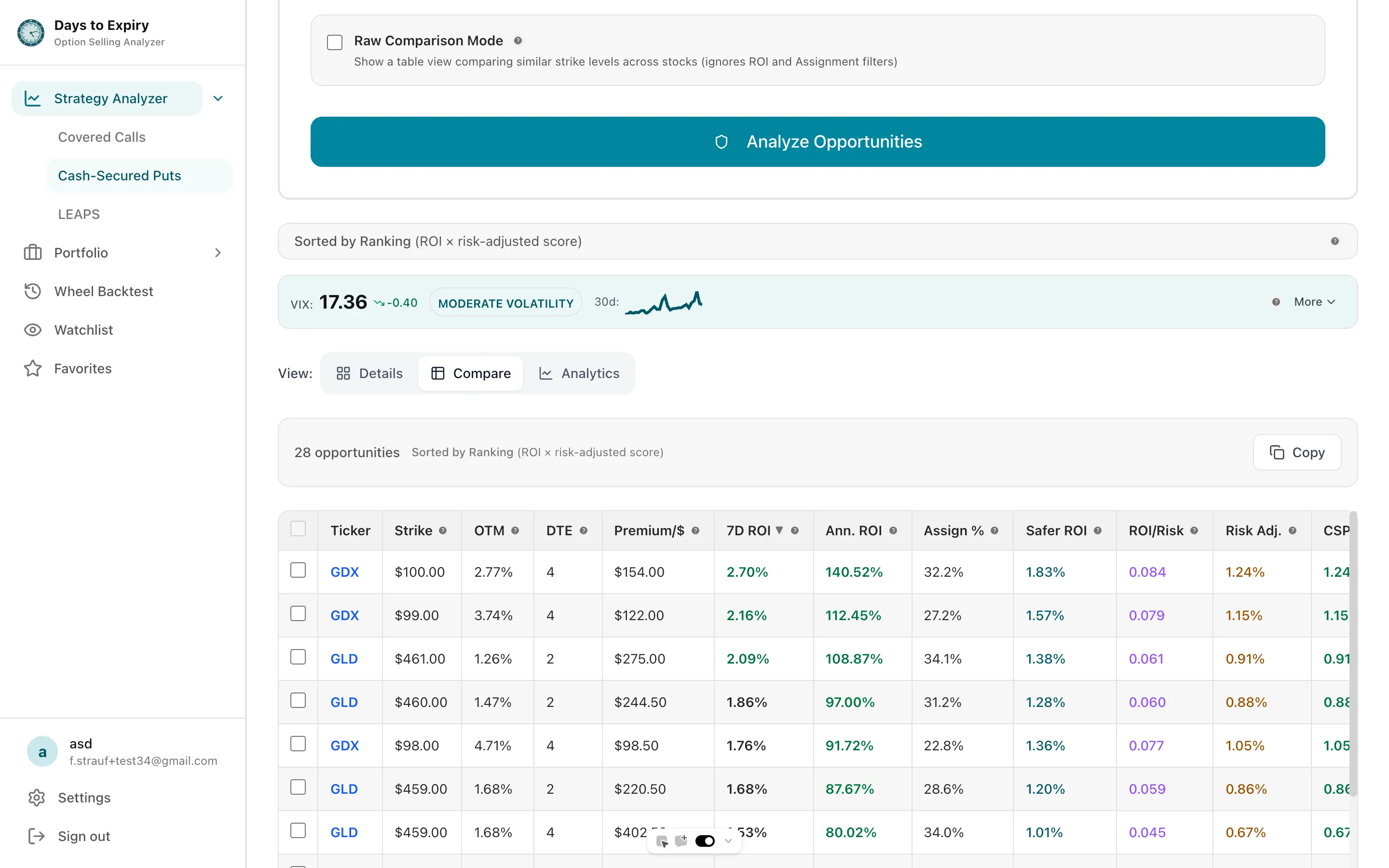
Options selling strategy comparison dashboard

Tap to view full size

Problem

Option Selling is Fragmented on Interactive Brokers

Too Many Strikes to Compare Manually — 50+ strikes per ticker

No Unified Strategy Picker — CC vs CSP vs spreads scattered across three screens

Assignment Tracking is Non-existent — Manual tracking in spreadsheets

Performance is Scattered Across Statements — Monthly statements, inconsistent data

You're Probably Missing High-Yield Opportunities — No easy way to scan for best setups

Solution

Options Selling Analyzer

Unified Opportunity Finder

All strategies in one place

Real-time Portfolio Analysis

What can you deploy today?

Assignment Tracking

Auto-categorized by strategy

Strategy Recommendations

CC vs CSP for each ticker

Performance Dashboard

Premium collected, assignments, per-symbol returns

Wheel Cycle Tracking

Win rate, premium, and P&L per wheel cycle
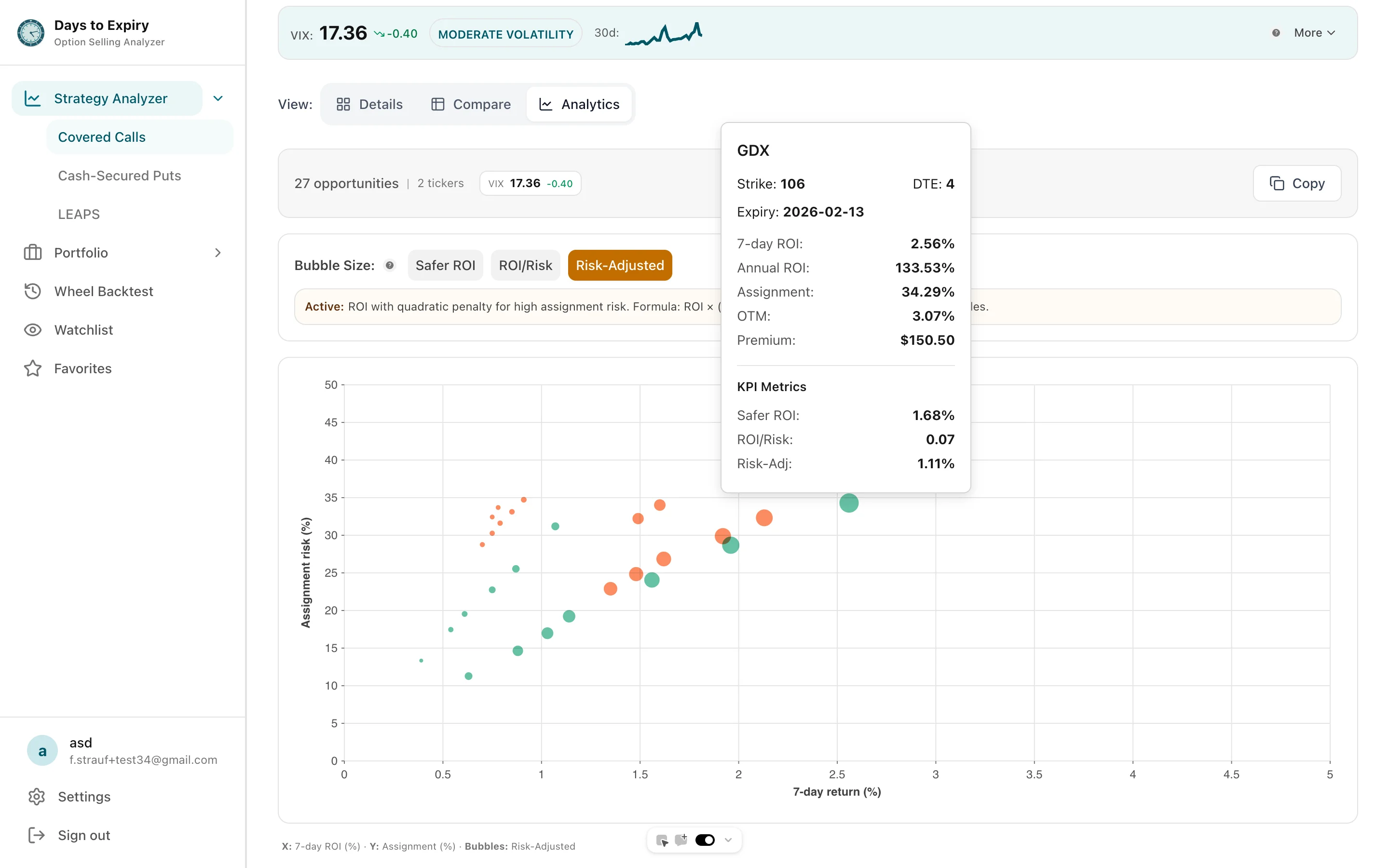
Strategy analyzer analytics view plotting 7-day return against assignment probability

Tap to view full size

See Your Opportunities Live

Loading strategy analyzer…

Sample Portfolio Performance

DEMO

Demo Portfolio Overview

Explore positions, trades, income, and analytics with realistic sample data.

View Full Demo
Loading demo portfolio...

Want to track your own portfolio? Import your trades and see analytics like this.

How it works

Get started in 3 simple steps

1

Connect Your IB Account

Paste your IBKR Flex Query token and query ID (read-only report access)

2

Discover Opportunities

Set your goal and risk level. The portfolio scan uses your synced shares and cash to return a ranked plan of covered calls and cash-secured puts

3

Track & Learn

Trades sync daily from your Flex Query. Dashboard shows premium collected, assignments, and returns per symbol

Using the Analyzer

Your Portfolio:

  • 500 shares AAPL at $235
  • 300 shares XOM at $115
  • $25,000 cash

Example Opportunities (30 DTE):

  • CC on AAPL: 5 × $245 calls | Premium $1,600 ($3.20/share) | Annualized 16.6%
    Assignment probability: 28%
  • CC on XOM: 3 × $120 calls | Premium $360 ($1.20/share) | Annualized 12.7%
    Assignment probability: 26%
  • CSP with $25K: 1 × AAPL $225 put ($22,500 reserved) | Premium $255 ($2.55/share) | Annualized 13.8%
    Assignment probability: 27%

Total premium from these trades: $2,215 on $174,500 of committed capital (1.3% for 30 days, ≈15.4% annualized)

Hypothetical example. Premiums and probabilities are Black-Scholes estimates (25% IV for AAPL, 22% for XOM), not live quotes.

Key Metrics

Example: Premium Collected

$2,215

Example: Capital Committed

$174,500

Example: 30-Day Return

1.3%

Example: Annualized

15.4%

Related Resources

Frequently Asked Questions

Everything you need to know about getting started

Is my Interactive Brokers data safe?

Yes. We never ask for your IBKR password. A Flex Query token can only download the reports you configure; it cannot place trades or move money. Tokens are encrypted before we store them, and you can revoke the token in IBKR or disconnect in Settings anytime.

Which IB account types are supported?

Any IBKR account that can run an Activity Flex Query. Each Flex connection covers one account, so add a separate connection per account; Portfolio can connect up to 5 brokerage accounts.

What data do you read from my IB account?

Only what your Flex Query report contains: positions (stocks, ETFs, options), cash, and trade history. Option chains, quotes, and Greeks come from our market data provider, not from your IB account.

Can I execute trades directly from the analyzer?

No. The analyzer is read-only and never places orders. When you find an opportunity, place the trade in IBKR yourself.

How do I upload my activity statement?

You don't need to upload statements by hand. In IBKR Account Management, create an Activity Flex Query and a Flex Web Service token, then paste the token and query ID into the analyzer. Trades sync daily and are auto-categorized by strategy. CSV upload is also available.

Ready to Get Started?

Join traders who are already using our tools to make better decisions.