From connecting your broker to finding your next trade — here's how to start simplifying your options income workflow.
2-minute overview — watch before or after reading the steps below
Link your account via SnapTrade for 32+ brokers including TastyTrade, Schwab, Fidelity, and Robinhood. Interactive Brokers users can use Flex Query auto-sync. Any broker supported via CSV import.
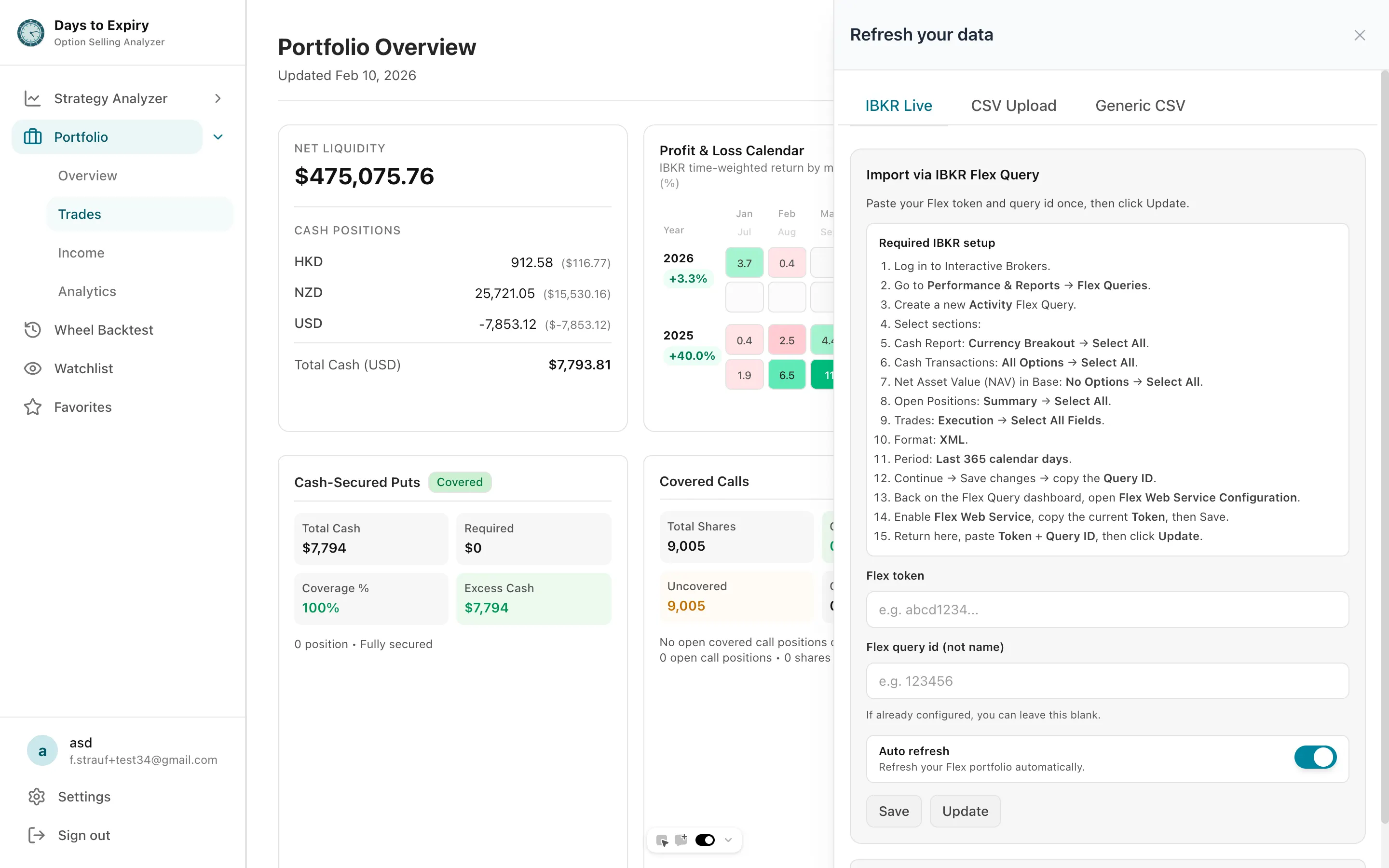
Tap to view full size
Your trades are automatically parsed and organized into an income dashboard. See premium income, weekly/monthly ROI, capital at risk, coverage status, and a Sankey flow of your income — all in one place.
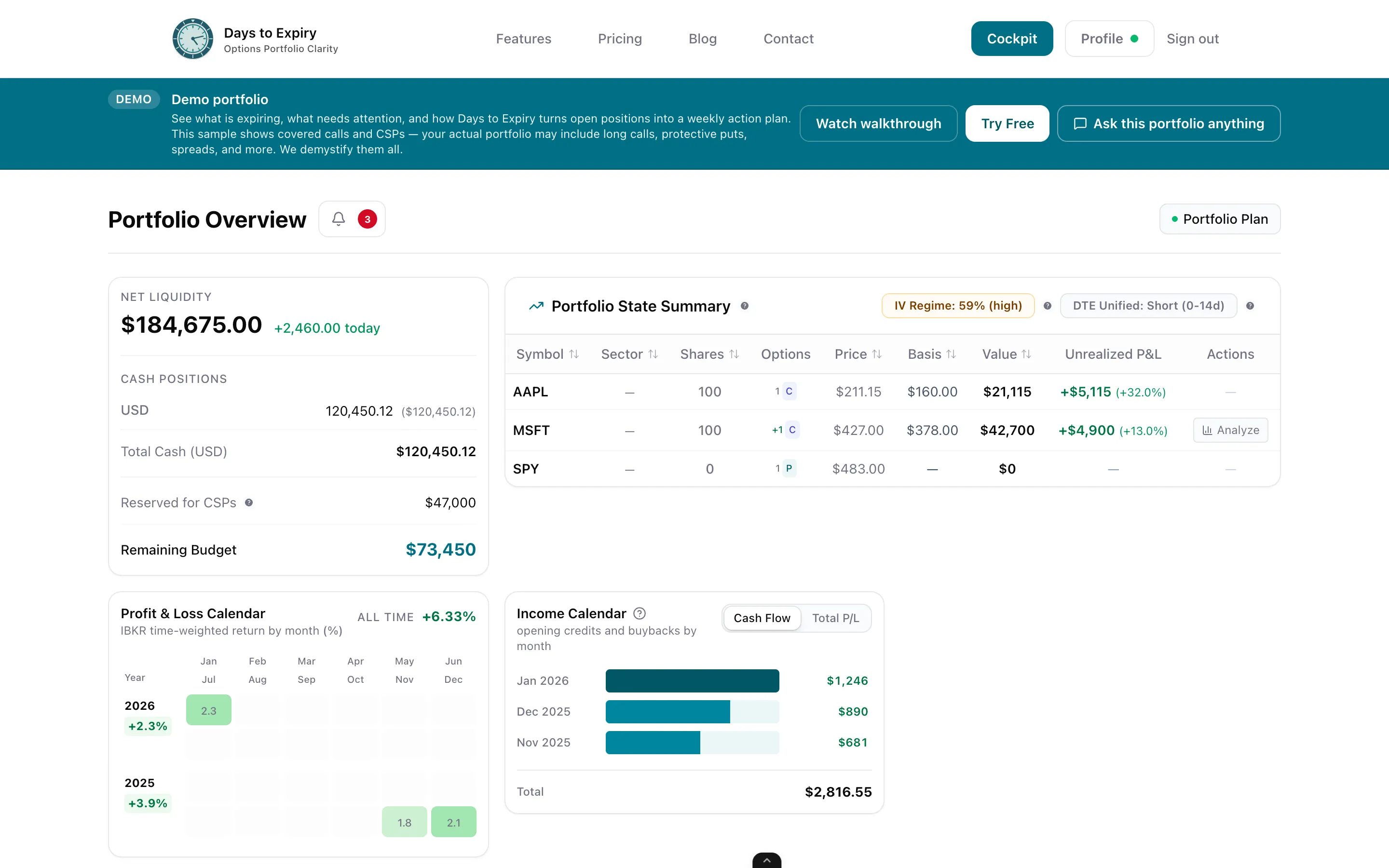
Tap to view full size
Use the Strategy Analyzer to scan covered calls, cash-secured puts, or LEAPS across your tickers. Filter by ROI, DTE, OTM%, and assignment risk. Backtest any candidate before you commit.
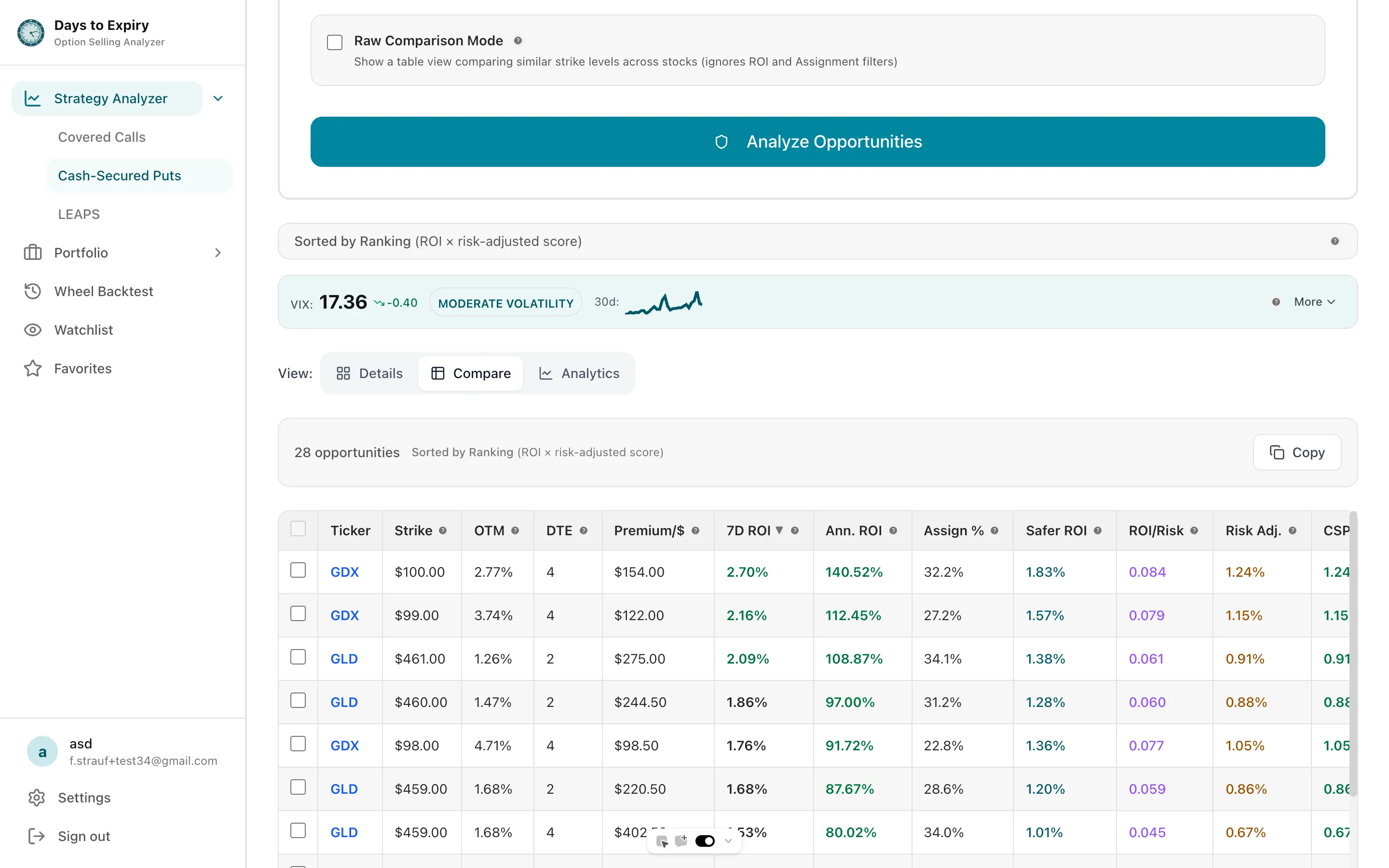
Tap to view full size
Start with core holdings you're comfortable selling calls against
Use assignment probability + OTM% together for better strike selection
Validate candidates with backtested assignment rates before entering
Revisit your DTE and ROI ranges as market conditions change