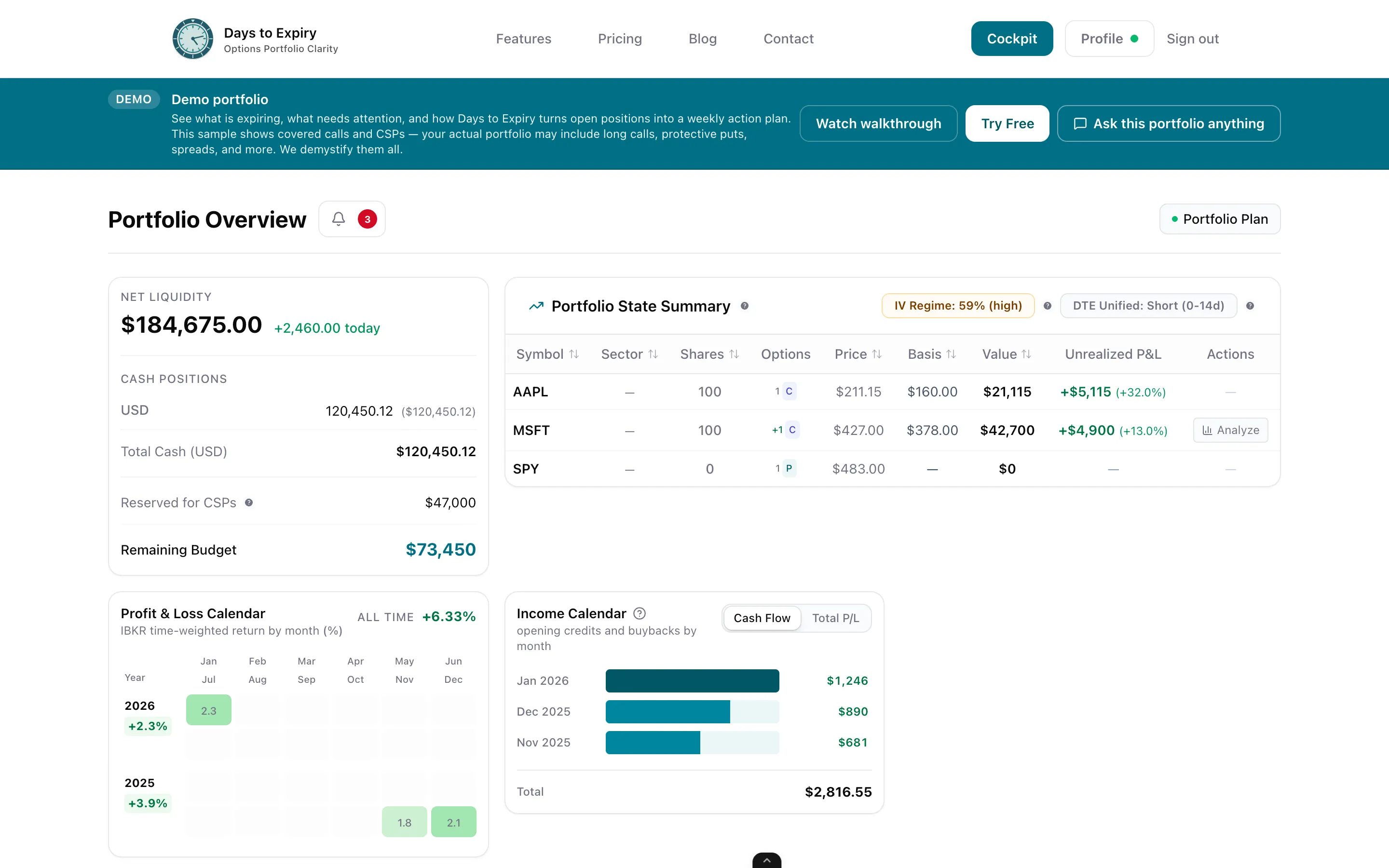
Stop updating spreadsheets. Days to Expiry automatically pulls every covered call from your IBKR account and shows your premium, ROI, and expiry risk in one clean dashboard.
Tracking covered calls manually is a full-time job. You're copying trades out of IBKR into Excel, recalculating ROI by hand, and losing track of positions approaching expiry. When you're running 5–20 covered calls at a time, a spreadsheet doesn't cut it. Days to Expiry connects to your Interactive Brokers account via Flex Reports and automatically imports every covered call you've ever written. Open positions, rolls, expirations, assignments — it's all there, updated daily, with no manual work.
Tap to view full size
Manual Data Entry — Copying every trade out of IBKR into your own tracker after each session
ROI Recalculation — Recomputing annualised returns by hand every time a position changes
Expiry Blindspots — No automated view of which calls are approaching expiry this week
Roll History Gaps — No clean record of how rolls and assignments connect across a full covered call chain
Your trades appear without lifting a finger via Flex Reports — no CSV uploads needed.
Total premium collected and annualised ROI per position, per ticker, and portfolio-wide.
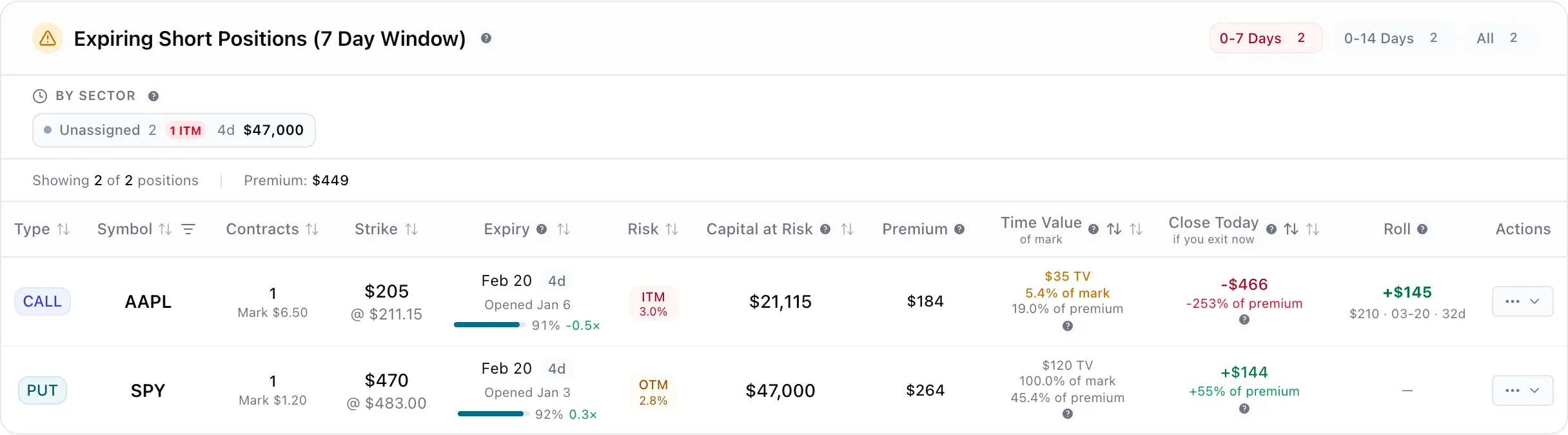
Colour-coded urgency for every open contract so you know exactly when to act.
Full lifecycle tracking from initial sale through rolls to expiry or assignment.
Tap to view full size
Set up a Flex Query in Interactive Brokers and paste the token into Days to Expiry. The initial setup takes under 10 minutes.
Days to Expiry fetches your complete available trade history — every covered call you've written, rolled, or had assigned. No CSV uploads needed.
See total premium collected, annualised ROI per position and per underlying, and your overall covered call win rate — updated daily without any action from you.
Filter open positions by contracts expiring this week, next week, or within 30 days. Know exactly which calls need a roll decision before it's urgent.
Setup Time
< 10 min
History Imported
Full
Manual Entry Required
Zero
Sync Frequency
Daily
Step-by-step walkthrough for connecting your Interactive Brokers account
Broader income tracking across all options strategies
Find new covered call opportunities on your existing holdings
Free to start — see advanced plan features
Everything you need to know about getting started