Connect your Interactive Brokers account once. Track every position, premium collected, ROI by ticker, and upcoming expirations — automatically, in real time.
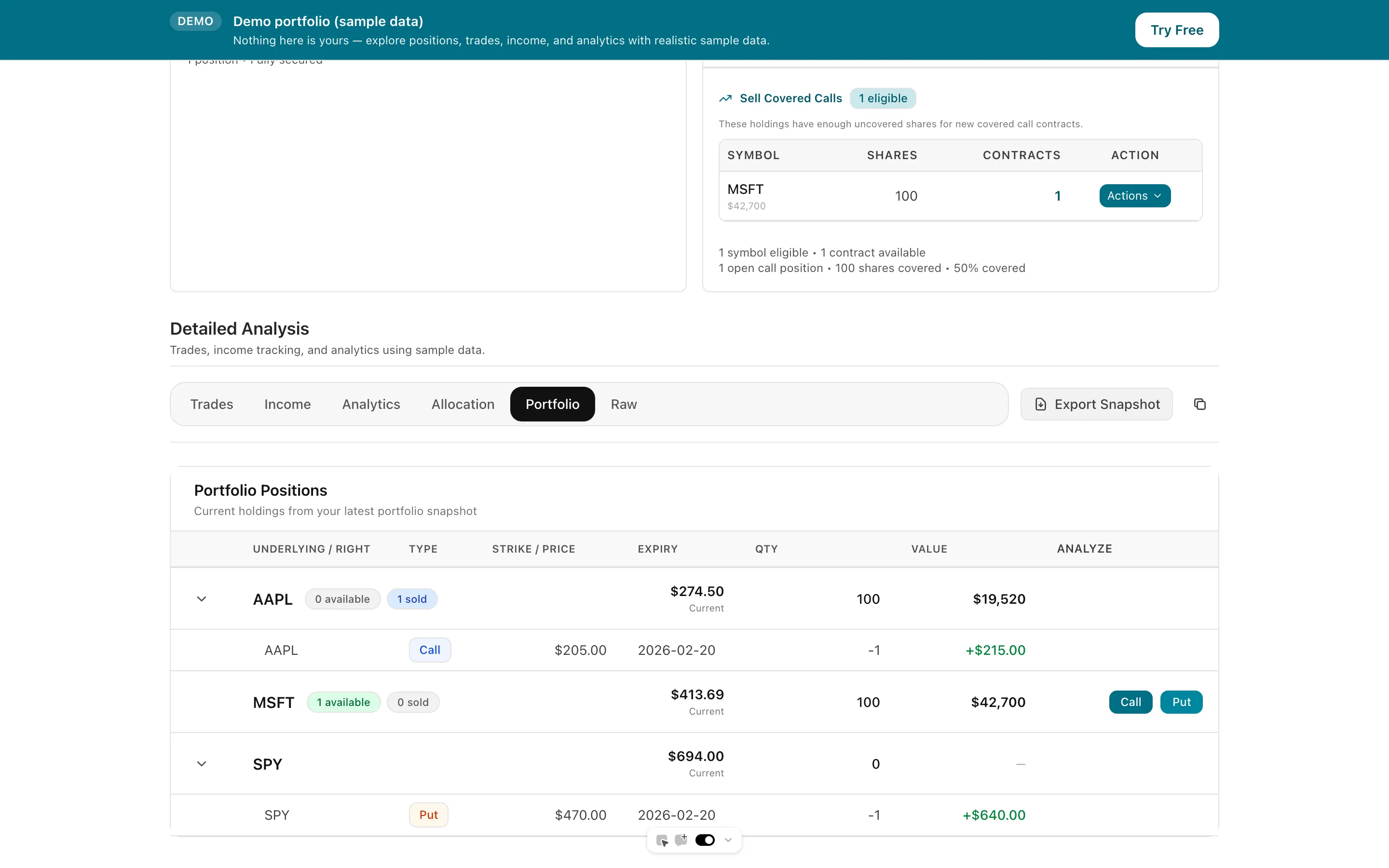
Most options traders manage their portfolio across three separate places: their broker's clunky position screen, a spreadsheet they built years ago, and their memory. When you're running 20+ covered calls and CSPs simultaneously, that breaks down fast. You miss rolls. You lose track of total income by ticker. You can't see your annualized ROI without doing math. Days to Expiry is an options portfolio tracker that pulls your positions directly from Interactive Brokers and surfaces the analytics options income sellers actually need — income collected, ROI per position, upcoming expirations, and total strategy performance.
Tap to view full size
Three Tools, One Job — Juggling broker position screens, an old spreadsheet, and memory to manage 20+ open options positions
Missed Roll Windows — No automated view of which contracts are approaching your exit rules this week
No Annualized ROI — You can't see your return on capital deployed per position or per ticker without manual calculations
No Income View — Broker dashboards show P&L, not premium collected — a completely different framing for income sellers
Authorise once; every covered call, CSP, and spread appears automatically as positions open and close.
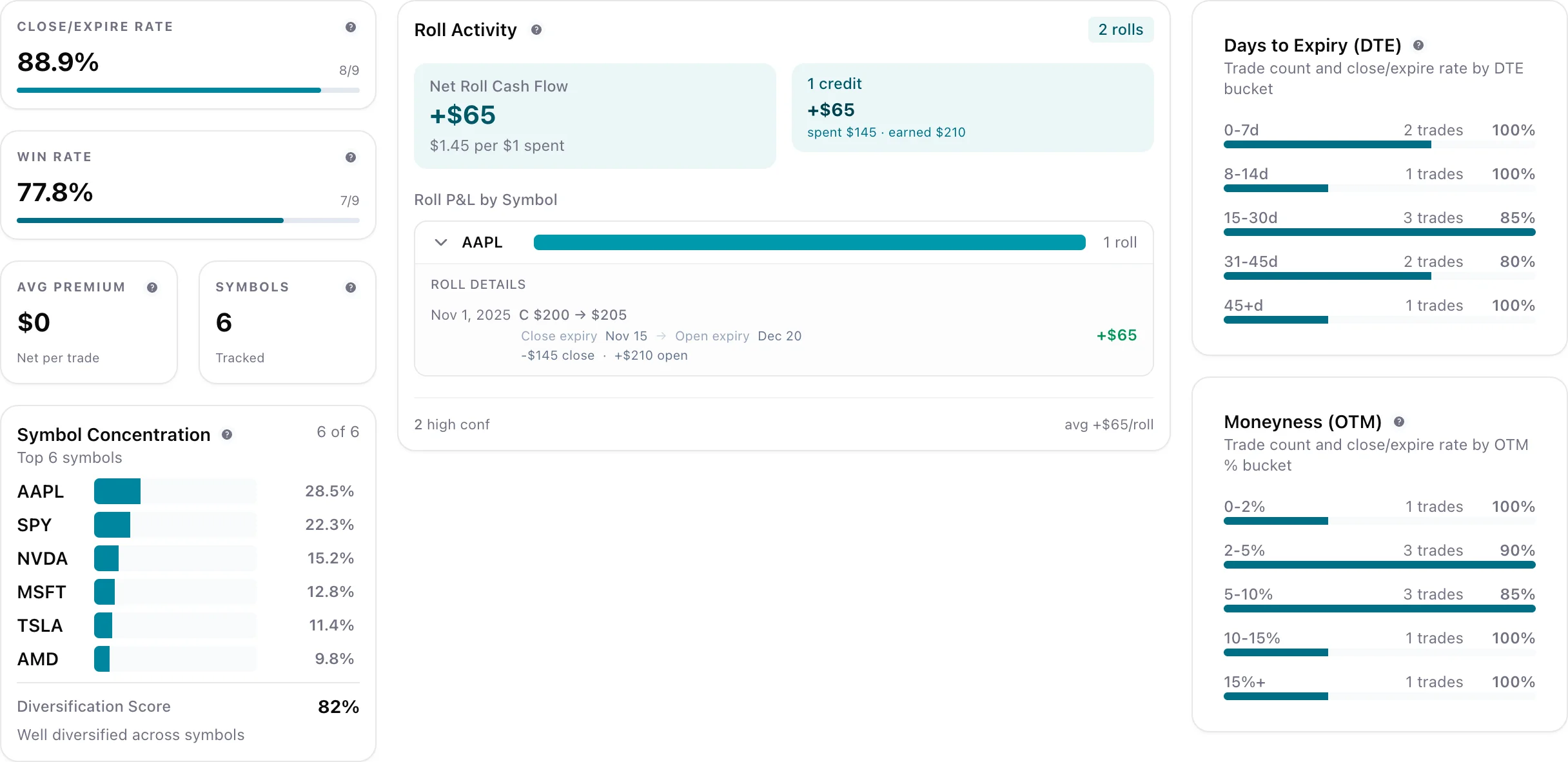
Total premium collected per ticker, annualised ROI, win/loss rate, and cumulative income by strategy type.
All open positions sorted and colour-coded by days to expiry — rolls, assignments, and close opportunities at a glance.
Entry premium, current value, days held, and max profit for every trade in your history.
Tap to view full size
Authorise your IBKR account once and every options position — covered calls, cash-secured puts, spreads — appears in your tracker automatically. Setup takes under 5 minutes.
Open positions are sorted and colour-coded by days to expiry. See which positions expire this week, which need a roll decision, and which are approaching assignment risk — without digging through your broker's position screen.
Track total premium collected per ticker, annualised ROI on capital deployed, and cumulative income over any time period. Filter by strategy type (CC vs CSP vs spread) with a single click.
Setup Time
< 5 min
Manual Entry
Zero
IBKR Access Type
Read-only
Built For
Income sellers
Dedicated premium income view by week, month, and year
How the Interactive Brokers account sync works
Covered call lifecycle tracking with roll and assignment history
Free to start — no credit card required
Everything you need to know about getting started