Keep your broker. Close the analytics gap: true cost basis after rolls, per-leg P&L, weekly execution plans, multi-broker sync, and AI portfolio queries.
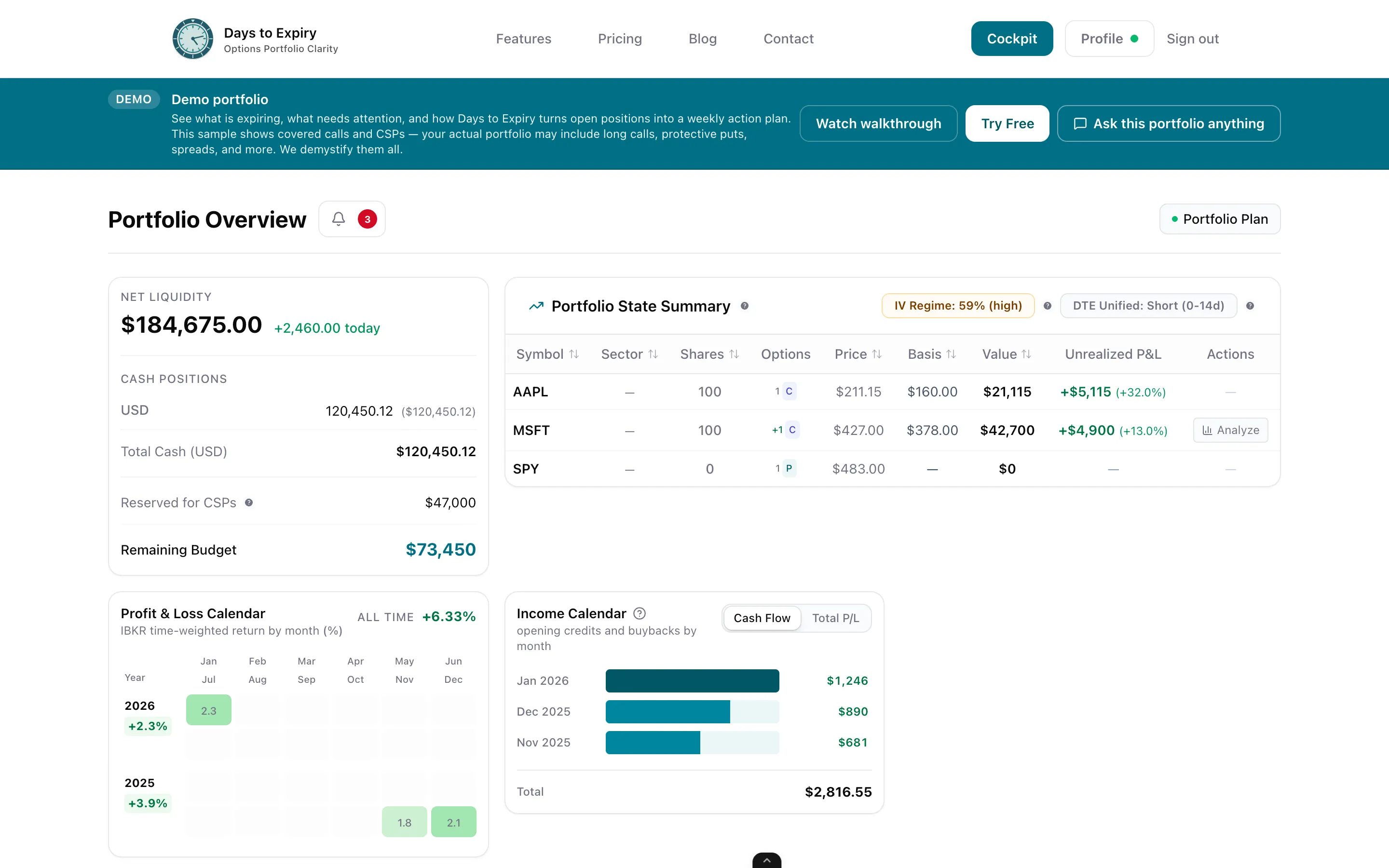
TastyTrade is a strong broker for executing options trades—but once the trade is on, portfolio truth is thin. No roll-adjusted cost basis. No clean per-leg P&L on multi-leg structures. No structured weekly execution plan for what to sell next. Days to Expiry is the analytics layer income traders build spreadsheets to replace: connect via SnapTrade (including TastyTrade among 32+ brokers) or IBKR Flex, see true cost basis and per-leg P&L, follow an auto-generated weekly plan, and query live portfolio data from Claude, Cursor, or Windsurf.
Tap to view full size
No True Cost Basis After Rolls — Broker P&L doesn’t demystify roll-adjusted basis or multi-leg break-evens
No Per-Leg Clarity — Spreads and condors stay hard to read as combined exposure
No Weekly Execution Plan — You rebuild the “what to sell / roll / close” list every Sunday
Manual Exports for Analysis — Deep income and portfolio work still means CSVs and spreadsheets
Roll-adjusted basis and break-evens your broker view often obscures
Multi-leg positions broken down by leg with combined exposure
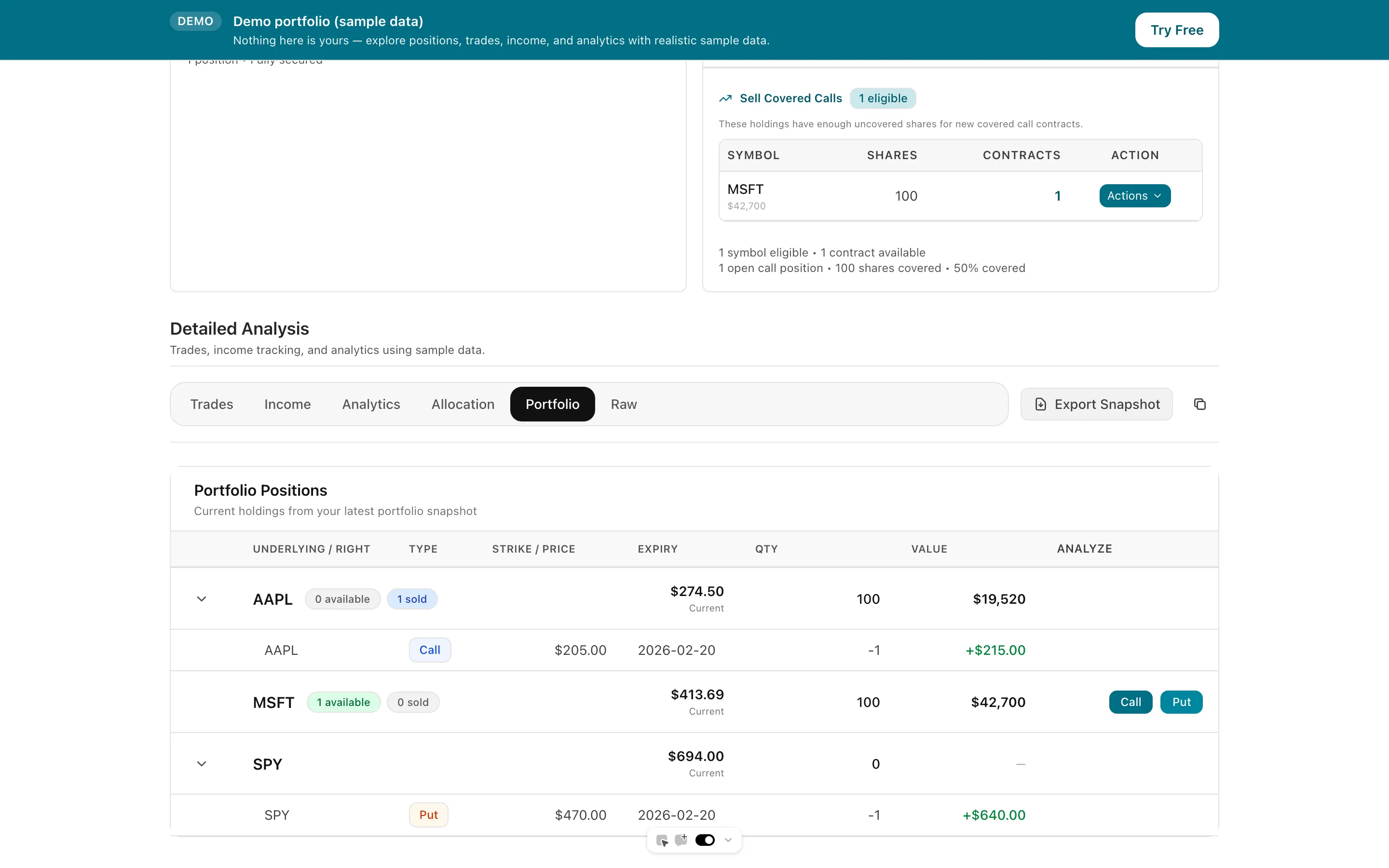
What to roll, close, or open—strike, expiry, and premium context
SnapTrade 32+ (including TastyTrade) and IBKR Flex; CSV fallback
Ask Claude, Cursor, or Windsurf about live positions in plain English
Monthly premium, win rate by strategy, and annualised ROI
Tap to view full size
Link via SnapTrade for TastyTrade and 31+ other brokers, or use Interactive Brokers Flex Query for first-class sync that refreshes daily. CSV remains available as a fallback. Trades, rolls, expirations, and assignments feed the portfolio view without manual entry.
See roll-adjusted true cost basis, per-leg P&L, coverage, and income metrics—monthly premium collected, win rate, and ROI—the clarity TastyTrade’s platform doesn’t center for income sellers.
Each week Days to Expiry generates a bounded action list from your live portfolio: rolls, closes, and new covered call or CSP opportunities. Query the same data from Claude, Cursor, or Windsurf via scoped API keys.
Brokers via SnapTrade
32+
Manual CSV Exports
Optional
Trial card
Not required
Weekly Plan
Auto
| Spec | Value | Source |
|---|---|---|
| Pricing | Broker commissions, not a SaaS subscription. Stock & ETF options $1/contract to open ($10 max per leg), $0 to close. Stocks/ETFs $0. Exchange/clearing/regulatory fees still apply. | Verified 2026-08-13 |
| Free tier / trial | Brokerage account — no analytics SaaS subscription. Platform included with the brokerage relationship. | Verified 2026-08-13 |
| Broker sync | Native brokerage (tastytrade). Not a third-party portfolio aggregator. | Verified 2026-08-13 |
| Cost basis | Not stated as roll-adjusted multi-leg cost basis on public pricing/home pages. | Verified 2026-08-13 |
| Per-leg P&L | Not stated as a dedicated multi-leg portfolio P&L product on public pricing/home pages. | Verified 2026-08-13 |
| Weekly plan | Not offered / not stated on public pages. | Verified 2026-08-13 |
| Import formats | Native broker platform; public API listed under Platforms & Tools. | Verified 2026-08-13 |
| Strategy coverage | Full-service broker for stocks, options, futures, crypto, forex, prediction markets. | Verified 2026-08-13 |
| Platform | Broker — Mobile, Desktop, Web, API. | Verified 2026-08-13 |
| API / MCP | Public trading API listed; not an MCP portfolio-query product. | Verified 2026-08-13 |
| Best for | Active options traders who want a low-commission broker and execution tools. | Verified 2026-08-13 |
| Days to Expiry Portfolio price | Portfolio $50/mo ($500/yr) — analytics SaaS, not a broker. Amounts from live Stripe prices API backing /pricing. | Verified 2026-10-12 |
| Days to Expiry broker sync | SnapTrade 32+ brokers (incl. tastytrade, Schwab, Fidelity, Robinhood, E-Trade, Vanguard) + first-class IBKR Flex + CSV fallback. | Verified 2026-08-13 |
How Interactive Brokers Flex Query sync works
Full income tracking features across options strategies
How Days to Expiry compares to Born To Sell
Create a free account; every new account includes a Portfolio trial, no credit card
Everything you need to know about getting started