One simulated recipe: 10 DTE / 2% OTM cash-secured puts and covered calls, ~2-year window.
These pages publish weekly snapshots of a single wheel recipe. They are historical simulations, not live trading results and not a prediction. When a snapshot exists, this page says what the simulation produced — never what you would have collected.
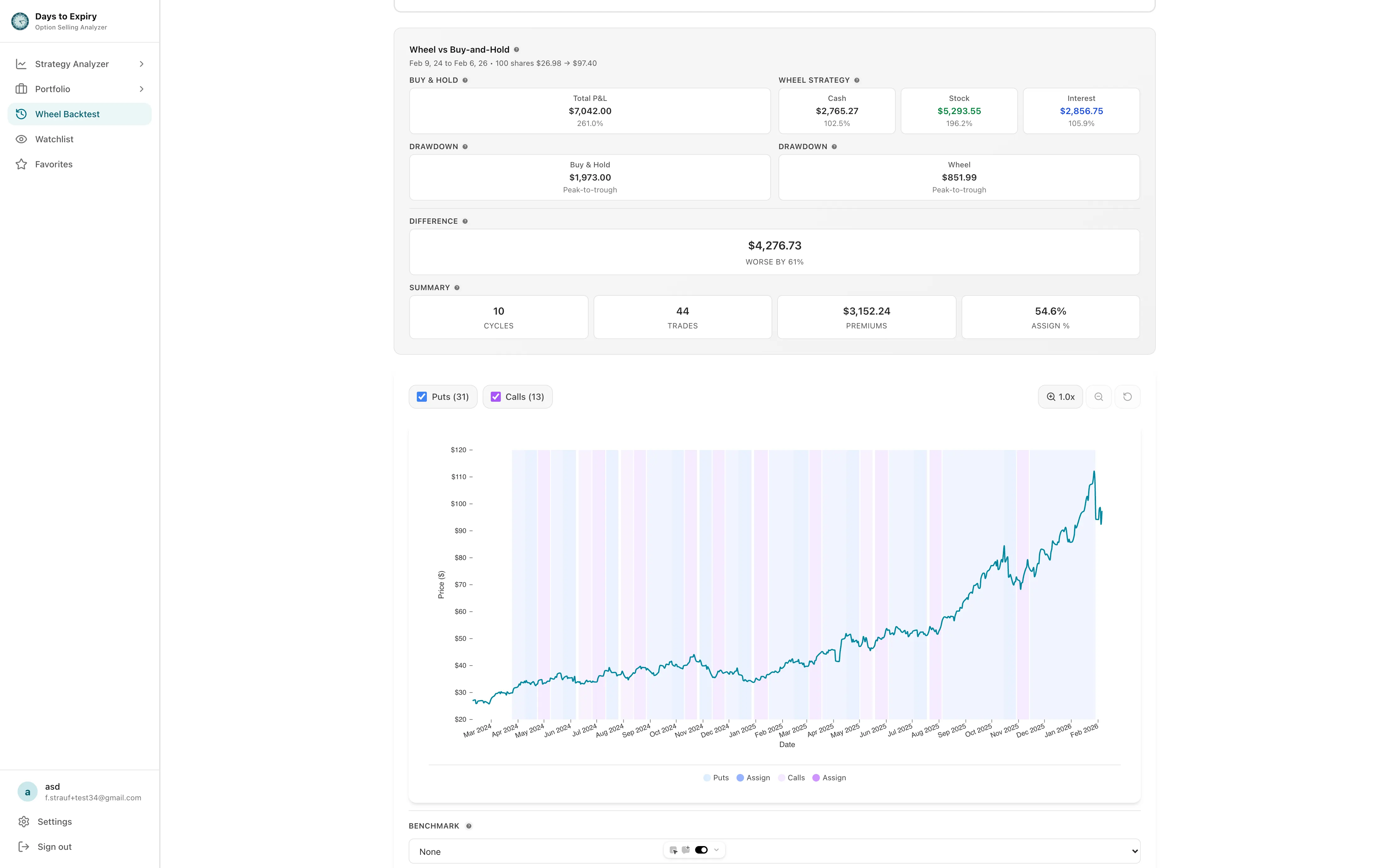
Tap to view full size
Recipe: 10 DTE / 2% OTM puts and calls · ~2 years · simulated. Listed only when the weekly job wrote a success row.
No public wheel snapshots are published yet. This catalog stays empty until the weekly job completes a successful run — it will not invent KPIs.
Scanner-wide historical stores presented as if every ticker is pre-computed
Copy that treats simulated premium as cash you collected
Charts and trade tapes that cannot be refreshed without a live engine call
Stale success left up after the next run fails
10 DTE / 2% OTM puts and calls. Dates omitted so the engine uses its ~2-year default. Reinvestment comparison off.
The hub lists tickers that exist in the snapshot table. Missing or failed runs are omitted — no fake KPIs.
Copy is “this simulation produced $X.” Limitations and pricing sources stay visible.
Change DTE, OTM, or dates in the existing wheel backtest. These pages do not run Alpaca on request.
Open a ticker below. You will see simulated premium, assignment rate, wheel P&L, and buy-and-hold P&L for the one public recipe.
Every snapshot stores limitations, synthetic-pricing flags, and pricing-source counts from the engine run.
Start a trial and open the interactive wheel backtest to change symbol, window, DTE, or OTM.
Run the same engine with your own ticker, DTE, and OTM
How historical simulation fits the rest of the product
Weekly plan from a live IBKR portfolio
Free to start — no credit card required
Everything you need to know about getting started