Keep tastytrade as your broker. Days to Expiry syncs it read-only through SnapTrade — tastytrade is a supported SnapTrade brokerage (verified 2026-09-23) — and shows roll-adjusted cost basis, per-leg P&L, and a weekly execution plan in one view across every broker you use.
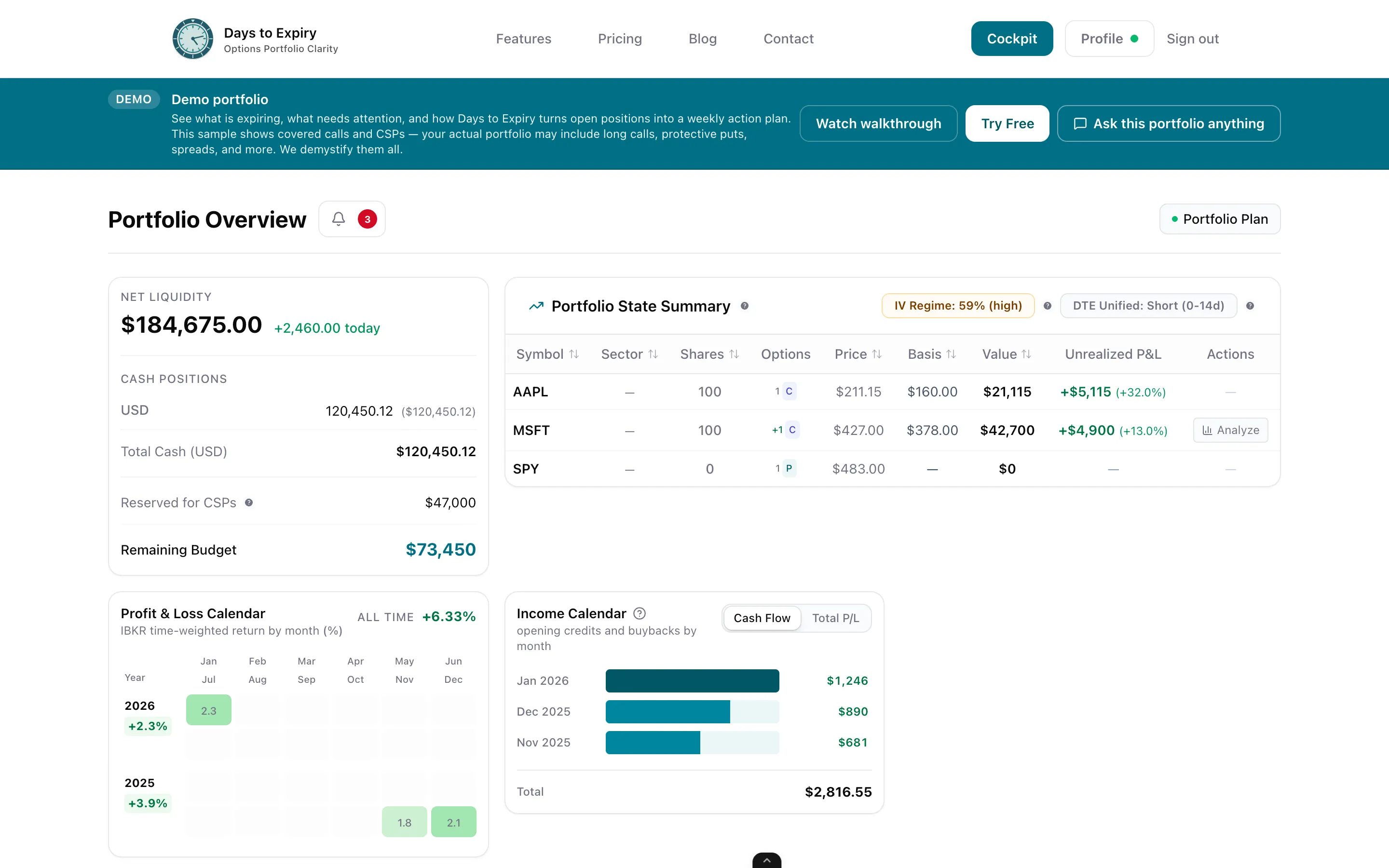
tastytrade is a capable broker: preset options strategies from covered calls to iron condors, order chains for rolled and multi-leg trades, a backtesting tool, and risk analysis on its platforms (tastytrade.com, verified 2026-09-23). But a broker platform centers the account it holds. If your household runs tastytrade plus Interactive Brokers — or Schwab, Fidelity, or any of the 35+ brokers on the SnapTrade network — each portal tells only its own slice of the story, and the post-trade bookkeeping still lands on you. Days to Expiry is the tastytrade tracker for that gap: connect your tastytrade account read-only through SnapTrade (a supported integration with OAuth, SOC 2 Type 2 controls, and disconnect-anytime), add IBKR via first-class Flex Query sync, and every position rolls up into one multi-broker view — roll-adjusted true cost basis after assignments, per-leg P&L, coverage, income by week and month, and a weekly execution plan for what to sell next. Start with the free screener and demo portfolio; no credit card.
Tap to view full size
One Portal Per Broker — The platform centers your tastytrade book; a cross-broker income rollup isn't the public product (tastytrade.com, 2026-09-23)
Rolled Trades Need Reconciliation — Order chains track legs inside the platform, but roll-adjusted cost basis across a multi-broker household is manual
Split Households — Many traders run tastytrade plus IBKR or another legacy broker; each account's truth lives in a different login
Weekly Planning by Hand — The what-to-sell list is rebuilt every week from separate broker views and spreadsheets
A supported SnapTrade brokerage — OAuth-based, read-focused connection; disconnect anytime
Wheel cycles and spreads re-priced through every roll, assignment, and adjustment
Multi-leg positions broken down by leg across all connected brokers
Positions, balances, and transactions pull in when you hit Sync Now — no CSV exports
What to sell, roll, or close across the whole household — not per portal
Ask Claude, Cursor, or Windsurf about your combined book via scoped API keys
Tap to view full size
Link your tastytrade account through the SnapTrade connection portal: accept SnapTrade's terms, authenticate on tastytrade's site, and agree to the access terms. The connection is read-focused — Days to Expiry never places trades or moves money — and you can disconnect at any time (snaptrade.com integration page, verified 2026-09-23).
Interactive Brokers connects via first-class Flex Query auto-sync; other accounts — Schwab, Fidelity, Robinhood, E-Trade, Vanguard, and more — connect through the same SnapTrade network (35+ brokerages, 400M+ retail accounts per SnapTrade's developer guide, 2026-09-23). CSV upload remains the fallback.
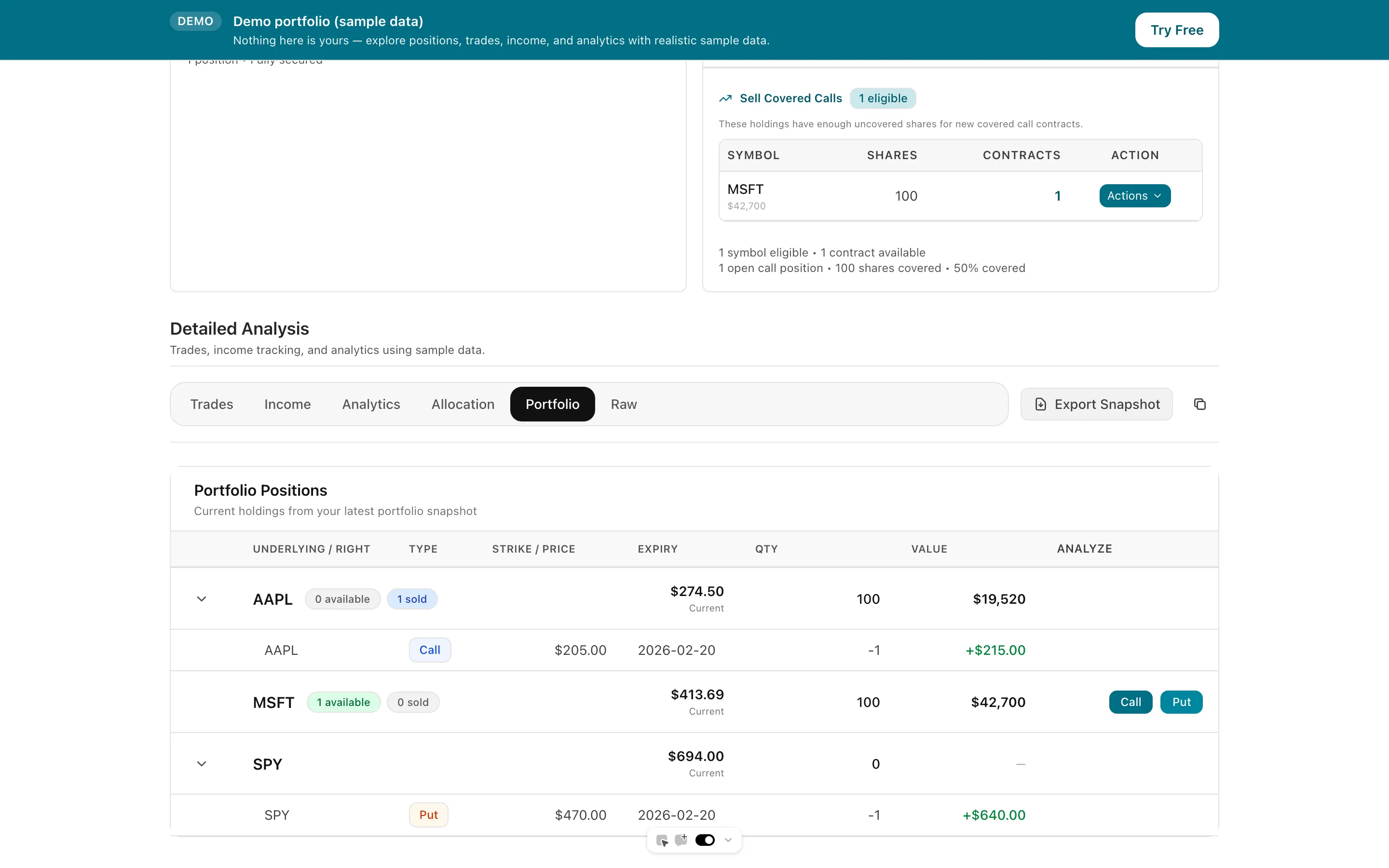
See roll-adjusted true cost basis, per-leg P&L, coverage, and income across every connected account in a single view. The weekly execution plan works from the combined book — cash, covered shares, and open risk — so allocation decisions stop depending on which portal you happened to open.
Trial card
Not required
Brokers via SnapTrade
32+
tastytrade Support
Verified
Free Trial
14 days
| Spec | Value | Source |
|---|---|---|
| Product type | Broker — stocks, options, futures, and more; low commissions; platform tools included with the brokerage relationship, not an analytics SaaS subscription. | Verified 2026-09-23 |
| Platform tools | Home page advertises 10+ preset options strategies (Covered Calls to Iron Condors), order chains for rolled/multi-leg trades, a Backtesting Tool with 10+ years of data, Risk Analysis, and AI Search on the web platform. | Verified 2026-09-23 |
| Multi-broker view | Not offered / not stated on public pages — the product centers the tastytrade account; a cross-broker rollup is not part of the public platform. | Verified 2026-09-23 |
| SnapTrade support | tastytrade is a SnapTrade-supported brokerage: connection via SnapTrade's portal with OAuth, portfolio access and trading available to developers, SOC 2 Type 2 controls, and disconnect anytime. | Verified 2026-09-23 |
| SnapTrade network | 35+ brokerages and 400M+ retail investor accounts on the SnapTrade network; positions, balances, and transactions normalize into one schema. | Verified 2026-09-23 |
| Roll-adjusted cost basis | Not stated as a cross-broker, roll-adjusted cost-basis product on public pages — basis work across brokers remains manual. | Verified 2026-09-23 |
| Weekly plan | Not offered / not stated on public pages — no weekly execution plan across a multi-broker book. | Verified 2026-09-23 |
| Best for | tastytrade account holders who want automatic post-trade tracking plus one view across every broker they use. | Verified 2026-09-23 |
| Days to Expiry Pro price | Pro $50/mo ($500/yr). Amounts from live Stripe prices API backing /pricing. | Verified 2026-08-13 |
| Days to Expiry free tier / trial | Demo portfolio free; live portfolio via SnapTrade on Starter; backtests on Pro. No credit card to start, cancel anytime. | Verified 2026-09-23 |
| Days to Expiry sync | SnapTrade for 32+ brokers (including tastytrade), first-class IBKR Flex Query auto-sync, or CSV upload — with commissions, splits, and corporate actions normalized. | Verified 2026-09-23 |
Comparing the broker itself? That's the analytics-vs-brokerage comparison page
The multi-broker tracking layer this page is about
First-class Flex Query sync for the other half of a split household
Premiums collected, weekly and monthly ROI across all connected brokers
Free income-focused scanning before your next tastytrade order
Compare plans and start free — no credit card required
Everything you need to know about getting started