Follow a position through the wheel — cash-secured put, assignment, covered call, called away — in one portfolio view, with your cost basis adjusted for every premium collected along the way.
The wheel is a cycle, but most tracking tools only show you a snapshot: an open put here, a stock position there, a covered call somewhere else, each with its own cost basis. That makes it hard to answer the question that actually matters — what is my true break-even on this position after every roll and every premium I've collected? Days to Expiry's portfolio tracker follows a wheel position end to end. Sell a cash-secured put, get assigned, sell covered calls against the shares, get called away — the position stays linked in your dashboard, and the cost basis carries forward adjusted for every premium collected, so you always know your real break-even, not just your original purchase price.
Tap to view full size
Cost Basis Resets — Once a put is assigned, most tools show the raw purchase price, losing track of the premium already collected
Legs Tracked Separately — The CSP, the assignment, and the covered call show up as unrelated events instead of one cycle
Manual Break-Even Math — You end up adding up premiums by hand every time you want to know your real entry price
No Full-Cycle View — Hard to see how a position performed from the first put sold to the shares finally being called away
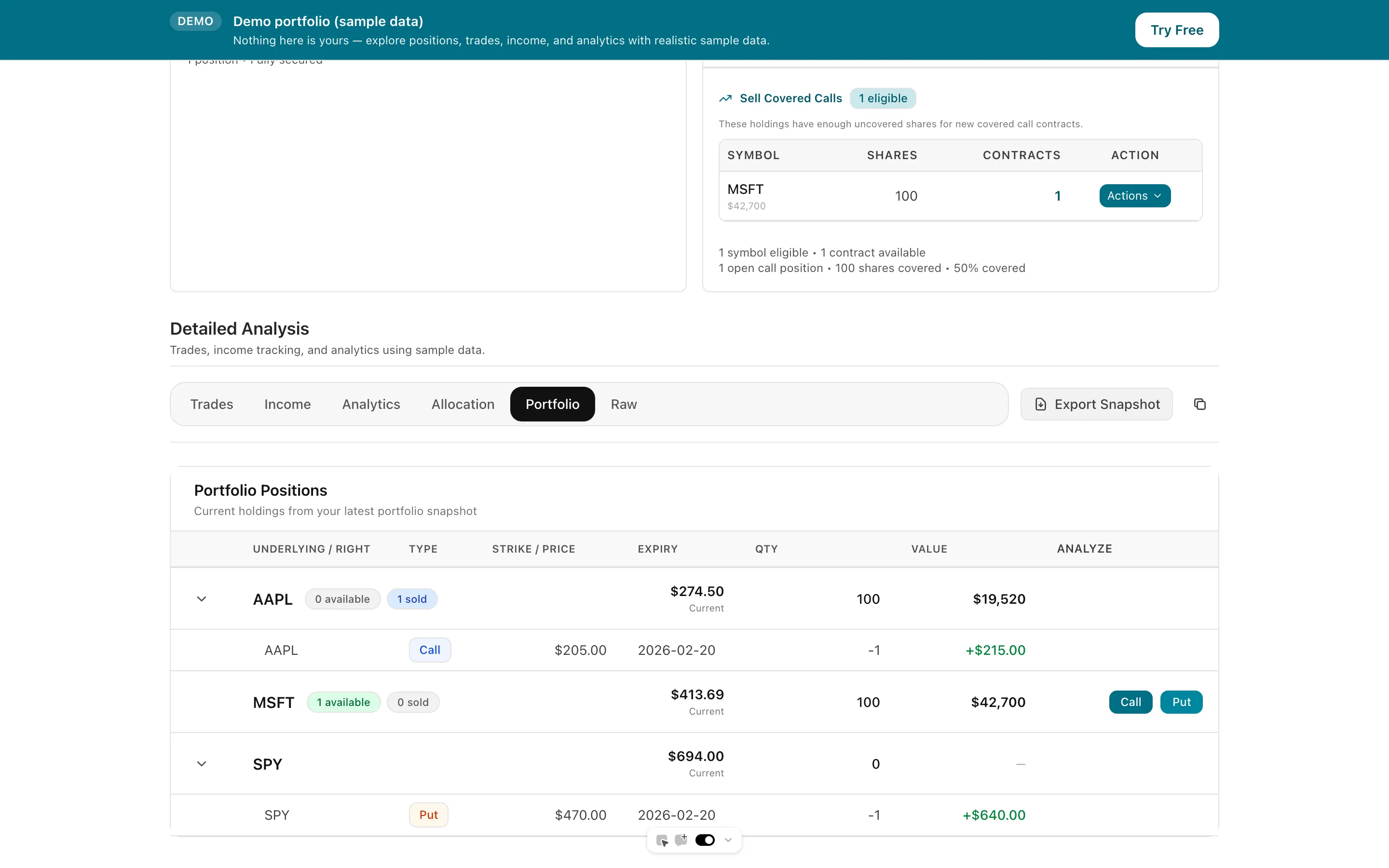
A CSP that gets assigned becomes a share position in the same view, cost basis adjusted for the premium collected.
Net credits from rolled puts and covered calls adjust the tracked basis, so your break-even reflects the whole cycle.
See a position from the first put sold through assignment, covered calls, and being called away in one place.
Connect your Interactive Brokers account and let assignments, rolls, and calls update your portfolio automatically.
Tap to view full size
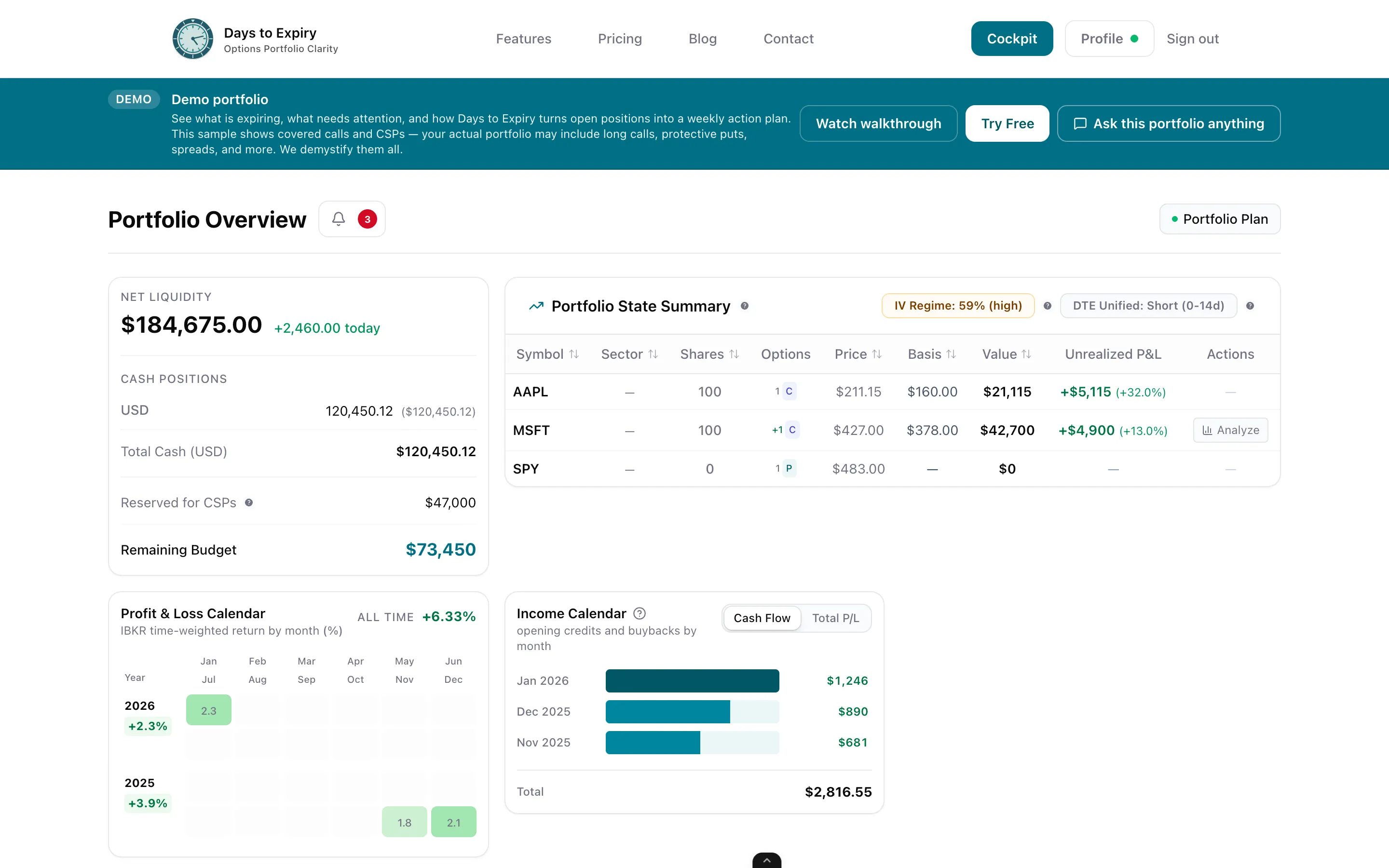
Link your Interactive Brokers account via Flex Query. Every cash-secured put, assignment, covered call, and expiration syncs into your portfolio automatically.
Sell a CSP, and if it gets assigned, the resulting shares appear in the same position record — not as a disconnected new entry — with cost basis adjusted for the put premium already collected.
Sell covered calls against the assigned shares. Each premium collected further reduces the tracked cost basis, so you can see your true break-even at any point in the cycle.
Setup
Flex token + Query ID
Manual Entry Required
Zero
Cost Basis
Roll-adjusted
Built For
Wheel cycle
Trade plan generated from your synced wheel positions
Track the full wheel cycle with phase-based position views
Import your existing options trade log directly
Free to start — see plan options
Everything you need to know about getting started