A wheel spreadsheet is only as good as your last manual update. Days to Expiry replaces the Sunday data-entry ritual with automatic broker sync (IBKR Flex + SnapTrade 32+), roll-adjusted cost basis through assignments, and a weekly execution plan.
The wheel strategy spreadsheet is a rite of passage: cash-secured puts, assignments, covered calls — all logged by hand in Google Sheets or Excel. Public DIY templates are free, but they are downloads, not connections: every fill is typed in, one broken formula silently corrupts your cost basis, and the weekly reconciliation eats the evening before market open. Days to Expiry is the wheel strategy spreadsheet alternative that keeps the simplicity and drops the data entry. Connect Interactive Brokers via Flex Query or 32+ brokers via SnapTrade, and every CSP, roll, assignment, and covered call flows in automatically — normalized for commissions, splits, and corporate actions. You get roll-adjusted true cost basis per wheel cycle, per-leg P&L, coverage views, and a weekly execution plan for what to sell next. Start with the free screener and demo portfolio — no credit card.
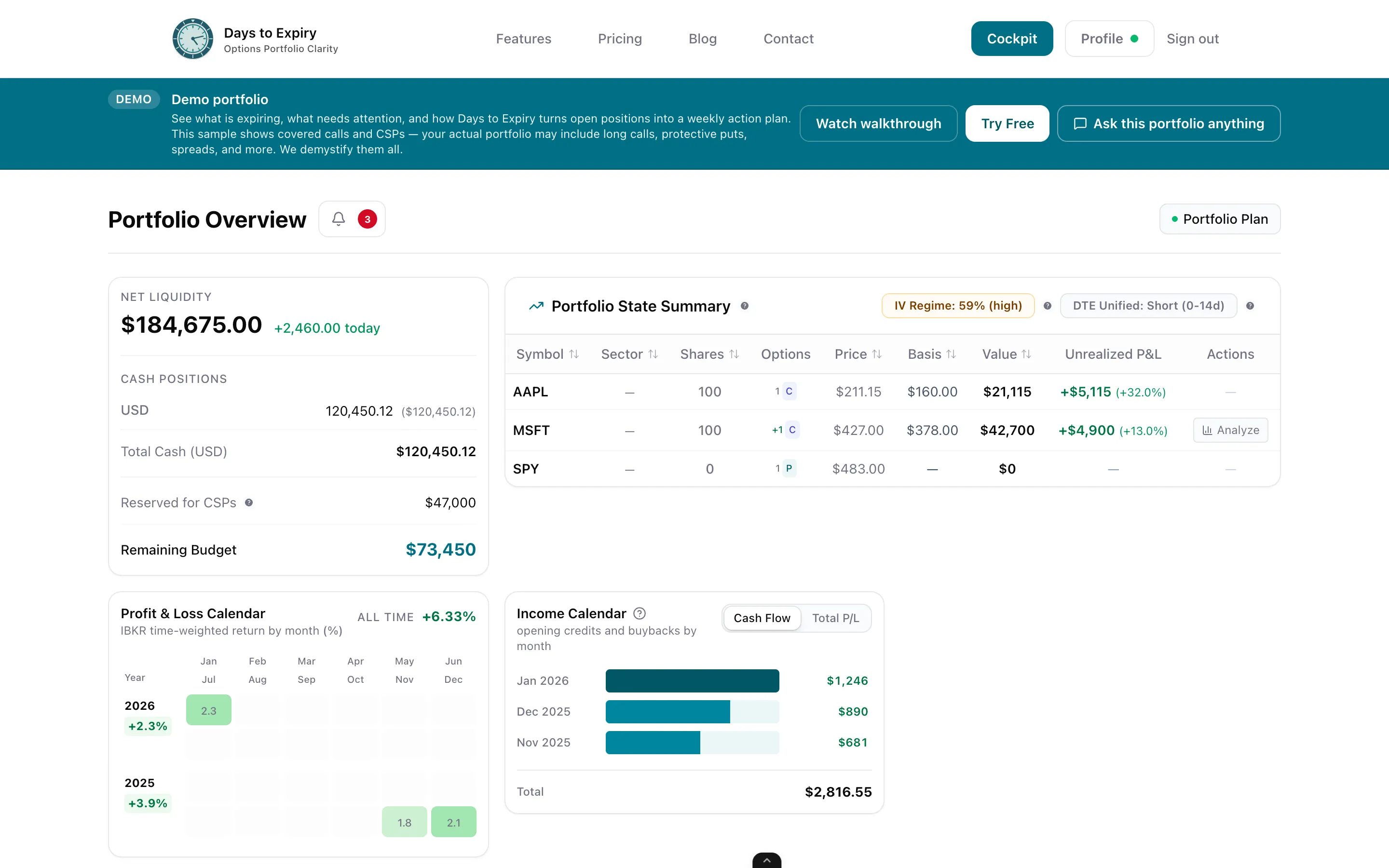
Tap to view full size
Manual Entry on Every Trade — Every CSP, covered call, roll, and assignment is typed in by hand before you can analyze anything
Silent Formula Errors — One broken cell and your cost basis is wrong for the rest of the wheel cycle, and nothing flags it
No Broker Sync — Public DIY wheel trackers are file downloads with walkthrough videos, not live broker connections (austinsnerdythings.com, verified 2026-09-23)
Sunday Reconciliation Ritual — Rebuilding weekly P&L from broker statements instead of planning next week's trades
IBKR Flex first-class; SnapTrade for 32+ brokers; trades, rolls, and assignments flow in without typing
Wheel cycles re-priced through every roll, assignment, and covered call — automatically
See which legs of a cycle drive profit and which drag, without rebuilding formulas
What's covered, what's naked, and how premiums stack into weekly and monthly income
A bounded action list from your live book — rolls, closes, and new CSP/CC candidates
Upload a broker CSV statement when API sync isn't an option
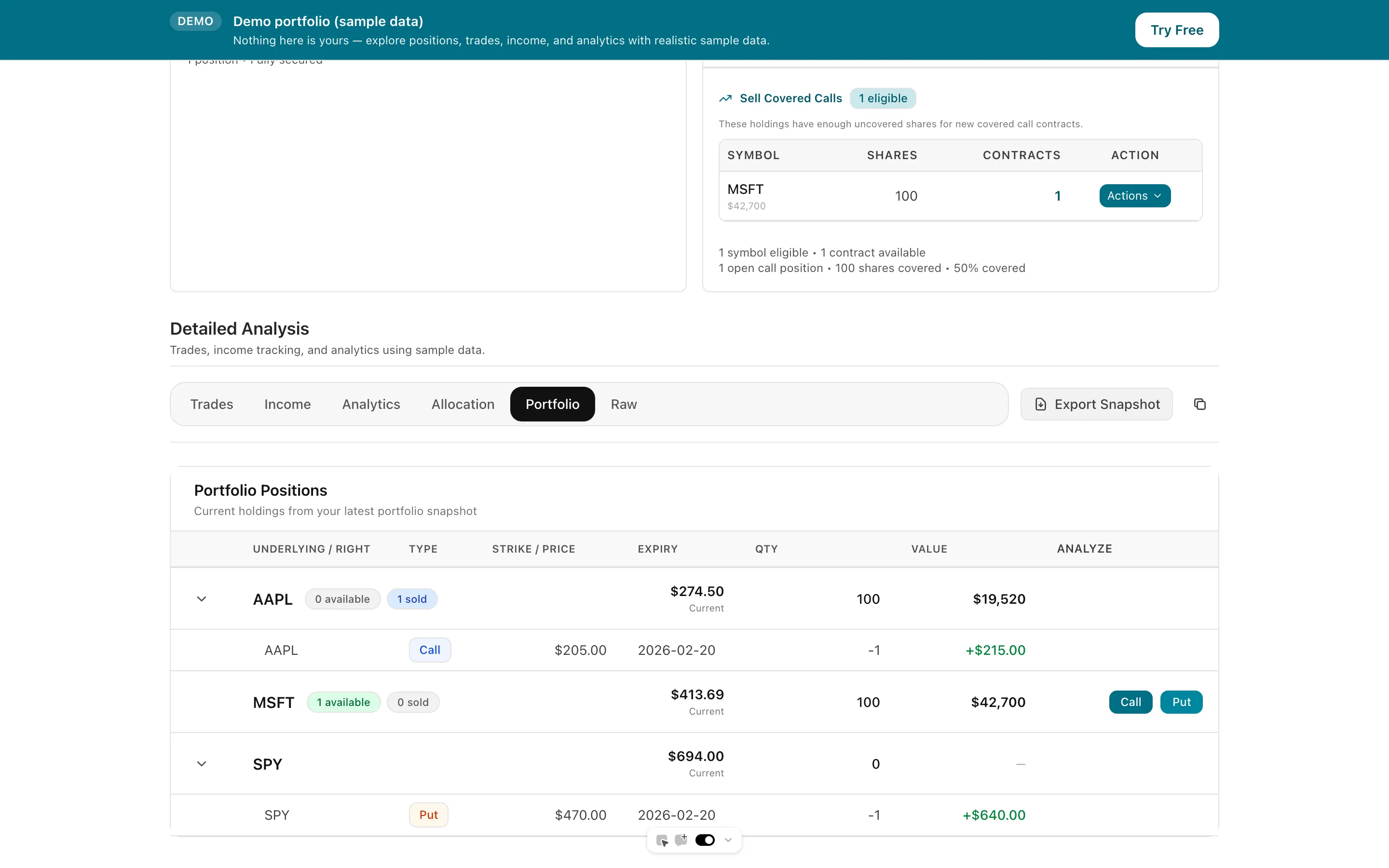
Tap to view full size
Link Interactive Brokers via Flex Query or connect 32+ brokers through SnapTrade. The connection is read-focused; Days to Expiry never places trades. Historical positions and fills import so the wheel cycles you already ran are in the book.
CSPs, assignments, and covered calls chain into cycles with roll-adjusted cost basis and per-leg P&L — no formulas to maintain. Commissions, stock splits, and corporate actions are normalized automatically.
The weekly execution plan turns your actual holdings and cash into a bounded list of what to sell, roll, or close — with model assignment probability and premium context. Run dedicated wheel backtests when you want historical rates behind a setup.
Trial card
Not required
Manual Entry
None
Brokers via SnapTrade
32+
Free Trial
14 days
| Spec | Value | Source |
|---|---|---|
| Pricing | Free — public DIY wheel trackers are distributed at no cost (one example: an Excel-based wheel tracker published with a download link and a walkthrough video). | Verified 2026-09-23 |
| Broker sync | Not offered / not stated on the cited template — DIY spreadsheets are manual-entry files; there is no IBKR Flex or SnapTrade connection to sync fills automatically. | Verified 2026-09-23 |
| Cost basis | Manual only — cost basis depends on the trader's own sheet formulas; roll and assignment adjustments must be modeled by hand. | Verified 2026-09-23 |
| Maintenance | Manual per-trade entry and upkeep; community trackers ship with video walkthroughs precisely because maintaining them is hands-on. | Verified 2026-09-23 |
| Platform | Google Sheets / Excel files — local or cloud documents, no app, no sync layer. | Verified 2026-09-23 |
| Weekly plan | Not offered / not stated — spreadsheets record trades; they don't generate an execution plan from live holdings. | Verified 2026-09-23 |
| Best for | Traders starting out who want a free, hands-on way to log wheel trades and learn the mechanics. | Verified 2026-09-23 |
| Days to Expiry Pro price | Pro $50/mo ($500/yr). Amounts from live Stripe prices API backing /pricing. | Verified 2026-08-13 |
| Days to Expiry free tier / trial | Demo portfolio free; live portfolio via SnapTrade on Starter; backtests on Pro. No credit card to start, cancel anytime. | Verified 2026-09-23 |
| Days to Expiry sync | SnapTrade for 32+ brokers, first-class IBKR Flex Query auto-sync, or CSV upload — with commissions, splits, and corporate actions normalized. | Verified 2026-09-23 |
The automatic alternative to tracking wheel trades by hand
Plan and track complete wheel cycles from cash-secured puts to covered calls
See historical assignment rates and premium income for wheel recipes before you commit capital
Find high-probability CSP opportunities with assignment probability context
Screen for covered call setups on the shares your wheel just assigned you
Compare plans and start free — no credit card required
Everything you need to know about getting started