Fidelity splits options into tiers and limits what retirement accounts can do. Days to Expiry reads the accounts you choose to share and keeps premium, assignments and basis in one place (sources verified 2026-11-06).
Fidelity sorts options into three tiers, with approval requirements that are, in its words, more rigorous at each step (Fidelity options FAQ, verified 2026-11-06). Tier 1 includes covered calls, cash-covered puts and long options; tier 2 adds spreads of up to four legs; tier 3 adds uncovered selling. Its FAQ lists several strategies as available in IRAs, and leaves out uncovered selling, so many households run one strategy in an IRA and another in a taxable account, each with its own login view. Days to Expiry is the layer that ties those accounts together. Connect Fidelity through SnapTrade's read-only OAuth connection, choose which Fidelity accounts to share, and see premium collected, assignments and cost basis per position across them. Add IBKR or any other SnapTrade broker, and the weekly plan works from the whole book. The screener and demo portfolio are free.
Tap to view full size
Different Rules Per Account — Fidelity's FAQ lists a narrower set of strategies for IRAs than for taxable accounts, so one household runs different strategies in different accounts (Fidelity, verified 2026-11-06)
Spreads Up to Four Legs — Tier 2 permits spreads of up to four legs, and each leg's result sits inside a multi-leg position
Mixed Account Totals — A combined premium or cost-basis answer means adding up several accounts by hand
No Cross-Broker Picture — Fidelity's tools describe strategies and research; an all-brokers income rollup is not part of the options page
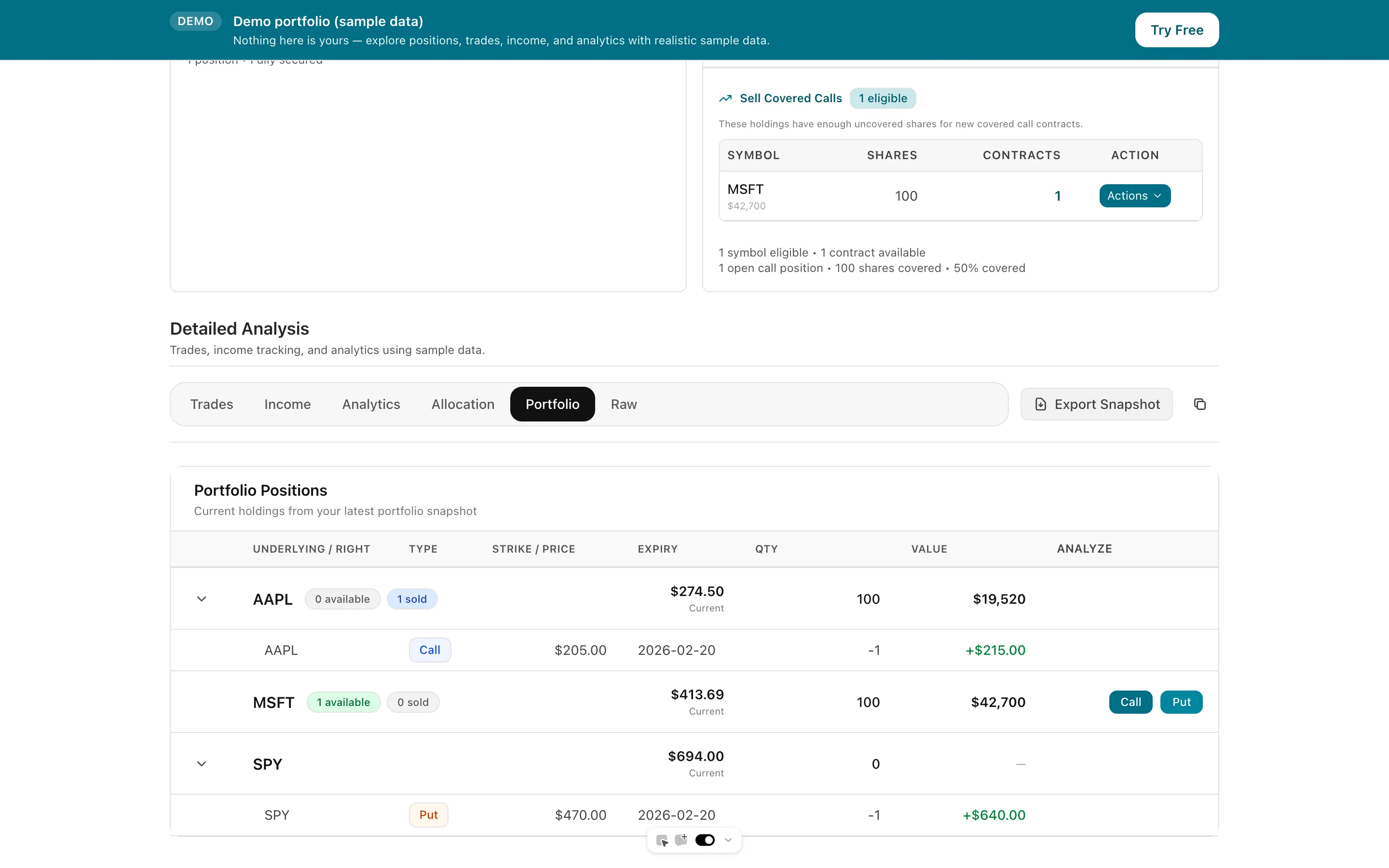
SnapTrade's Fidelity connection lets you select the accounts to share, and Days to Expiry lets you deselect accounts you do not want tracked
Assignments and premiums tied to each position
Spreads shown leg by leg with each leg's contribution
Positions and trades keep their account name so a taxable and an IRA position stay separate
Fidelity exports can be uploaded when a connection does not cover the history you need
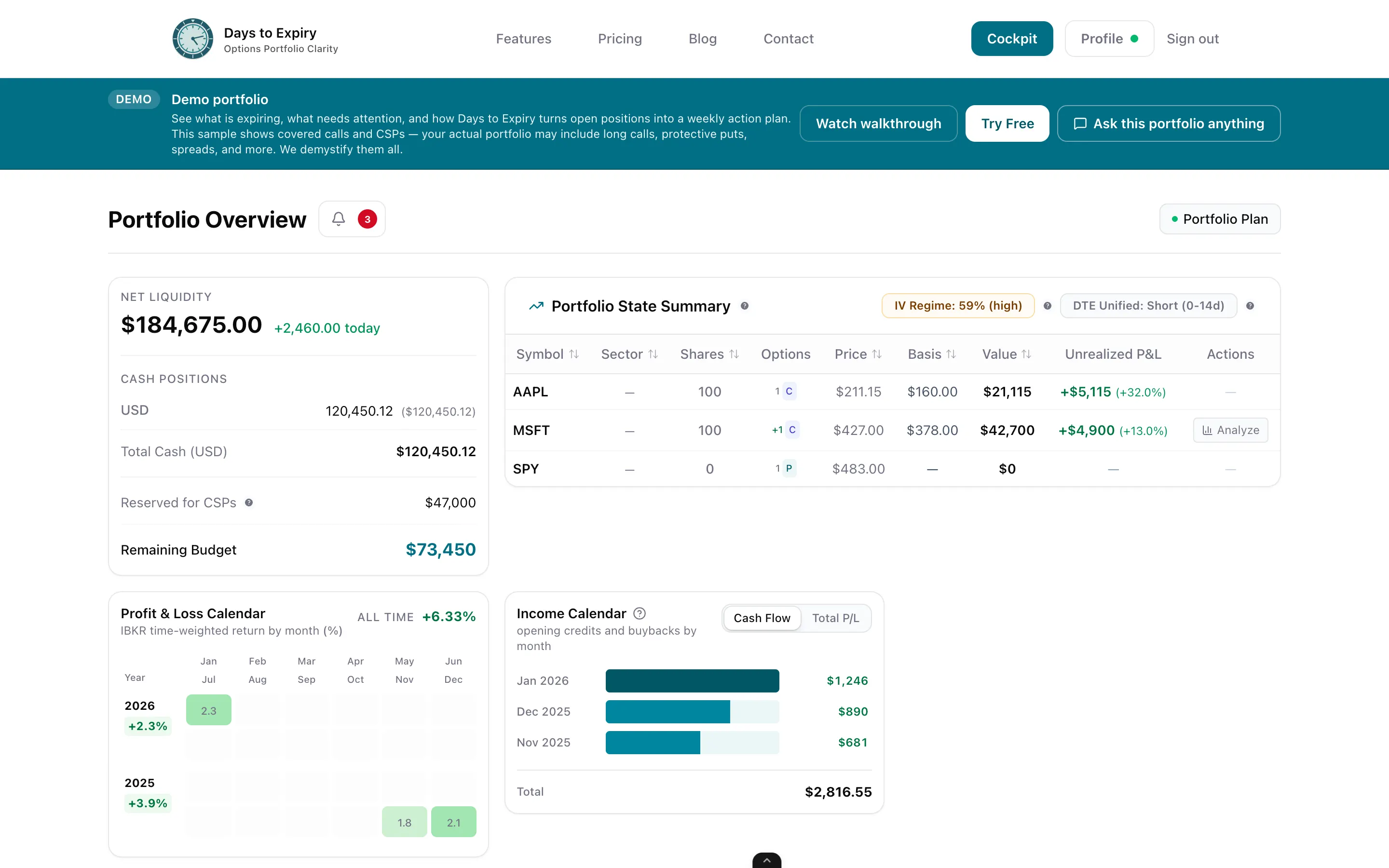
Expirations and cash across every connected broker
Tap to view full size
SnapTrade lists Fidelity as a US, read-only OAuth connection with two-factor authentication supported; you choose which Fidelity accounts to share and can disconnect in the app or in Fidelity account settings. The integration does not support placing trades (snaptrade.com, verified 2026-11-06).
Before the first sync you see the accounts on the login and can untick any. The sync replaces the stored snapshot each time, so an account you deselect disappears from the next sync. Every trade and position keeps the name of the account it came from.
Assignment, expiration and exercise activities close the matching legs, and the portfolio shows premium, basis and expiring positions across Fidelity and any other connected broker. Where history is thin, upload a CSV.
Trial card
Not required
Brokers via SnapTrade
30+
Fidelity connection
Read-only OAuth
Portfolio Trial
14 days with every new account
| Spec | Value | Source |
|---|---|---|
| Options tiers | Three tiers: tier 1 covers buy-writes, covered calls, buying calls and puts, cash-covered puts and long straddles and strangles; tier 2 adds spreads up to four legs and covered puts; tier 3 adds uncovered calls and puts and short straddles. Approval requires an options application and agreement, and requirements are more rigorous at subsequent tiers. | Verified 2026-11-06 |
| IRA limits | The FAQ lists buy-writes, covered calls, buying options, cash-covered puts, long straddles and strangles, and spreads up to four legs as allowed in IRAs; covered puts, uncovered selling and short straddles are not on that list. | Verified 2026-11-06 |
| Platforms and tools | Fidelity Trader+ Web and Fidelity Trader+, Fidelity Mobile, and an Options Strategy Builder described as beginner to intermediate. The page names OptionsPlay as a third-party platform and lists no per-contract amount, only an Options Regulatory Fee on buys and sells. | Verified 2026-11-06 |
| Fidelity on SnapTrade | US, read-only OAuth with two-factor authentication supported; users choose which accounts to share; no support for placing trades. | Verified 2026-11-06 |
| Days to Expiry Portfolio price | Portfolio $50/mo ($500/yr). Amounts from live Stripe prices API backing /pricing. | Verified 2026-10-12 |
The same post-trade tracking for a tastytrade account
The multi-broker view this page plugs into
Premiums collected and ROI by week and month
If part of the book sits at Schwab
If part of the book sits at Robinhood
Cost basis across the full put, assignment, call cycle
Everything you need to know about getting started
