Robinhood's options analyzer simulates what could happen. Days to Expiry connects read-only through SnapTrade and records what did: premium, assignments, expirations and the basis they leave behind (sources verified 2026-11-06).
Robinhood's own help describes an options analyzer that aggregates Delta, Gamma, Theta and Vega across selected positions, simulates price and time with a date slider, and states plainly that results are hypothetical, not actual returns (Robinhood help, verified 2026-11-06). That is a good planning surface and a deliberate non-ledger. Once contracts expire or get assigned, they move to History, and the cumulative picture is yours to assemble: how much premium came in this quarter, what the shares assigned from a put really cost after credits, how a rolled position's total result compares to its first leg. Days to Expiry is the tracking layer for that. Connect Robinhood through SnapTrade's read-only OAuth connection, and see premium by week and month, and a combined view with any other broker. Start with the free screener; the demo portfolio needs no card.
Tap to view full size
Hypothetical by Design — The options analyzer's results are labeled hypothetical, not actual returns, so it cannot be your P&L record (Robinhood help, verified 2026-11-06)
History Is a List — Expired and assigned contracts land in History; the running premium total and share basis are left to you
Early Assignment Surprises — Short stock and ETF options can be assigned any time before expiration, and the resulting shares arrive as a separate position
Rolling Is One Leg at a Time — The analyzer's roll shortcut is available only for single-leg positions, so a multi-leg roll's total result is a manual sum
SnapTrade lists Robinhood as read-only OAuth; it does not support placing trades through the integration
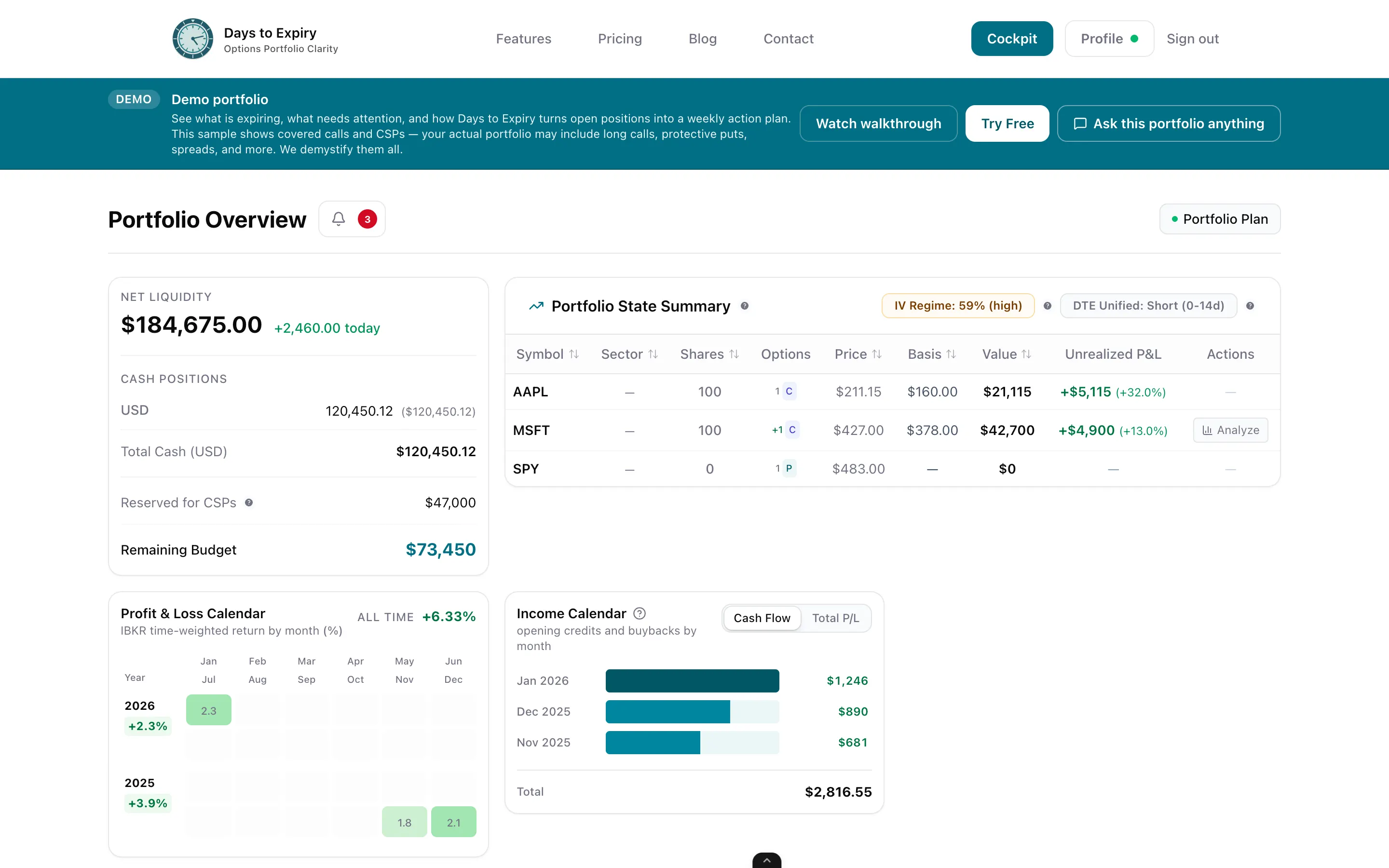
Premium collected week by week and month by month, from the activity the connection returns
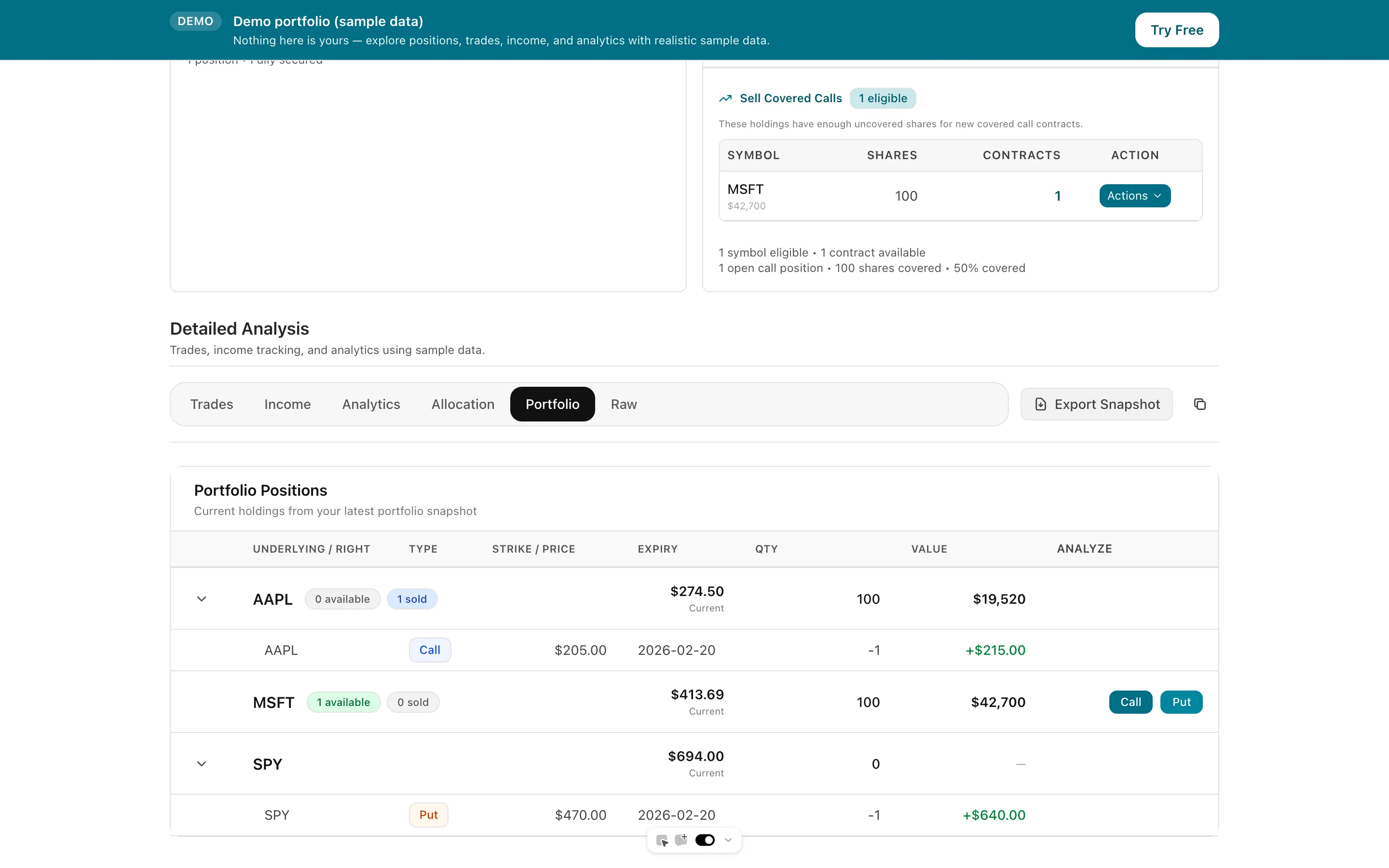
Assigned shares tracked beside the options written against them
Actual closed results next to the forward-looking numbers you already see in the app
Fractional share quantities are kept as fractions end to end rather than rounded down
Expiring positions and free cash across Robinhood and any other connected broker
Tap to view full size
Robinhood does not offer a developer API, so the route is SnapTrade's read-only OAuth integration, available in the US and Europe; your credentials are not shared with the app (snaptrade.com, verified 2026-11-06). You can disconnect from the app or from Robinhood account settings.
Positions, orders and activities are pulled in and put through the same ledger as every other broker. Assignment, expiration and exercise events close the matching legs. Which Robinhood account types return data is decided by the SnapTrade connection; this page claims nothing beyond SnapTrade's own listing.
Keep using the app's analyzer for what-if work. Use Days to Expiry for the running total: premium, cost basis, per-leg results, and the weekly plan across everything you hold.
Trial card
Not required
Brokers via SnapTrade
30+
Robinhood connection
Read-only OAuth
Portfolio Trial
14 days with every new account
| Spec | Value | Source |
|---|---|---|
| Options analyzer | Aggregates Delta, Gamma, Theta and Vega across selected positions, simulates price moves with a date slider, and states results are hypothetical, not actual returns. May be part of a rolling release. | Verified 2026-11-06 |
| Contract fees | Robinhood states no contract fees or commissions for stock and ETF options; index option and pro trader contract fees may apply per its fee schedule. | Verified 2026-11-06 |
| Expiration and assignment | Short stock and ETF options can be assigned at any time before expiration; index options cannot be assigned early. In-the-money options at expiration are generally exercised automatically. Expired contracts move to History. | Verified 2026-11-06 |
| Trading levels | Robinhood says strategy availability depends on your trading level; its pages do not define the levels in one place and wording differs between articles, so check the app for your own level. | Verified 2026-11-06 |
| Robinhood on SnapTrade | Read-only OAuth, US and Europe; no support for placing trades through the integration; Robinhood has no developer API. | Verified 2026-11-06 |
The same post-trade tracking for a tastytrade account
Premiums collected and ROI by week and month
Cost basis across the full put, assignment, call cycle
If part of the book sits at Schwab
If part of the book sits at Fidelity
Free income-focused scanning
Everything you need to know about getting started
