Schwab shows what is open today. Days to Expiry reads the account through SnapTrade and keeps the history: rolls, assignments, expirations and the cost basis that results (sources verified 2026-11-06).
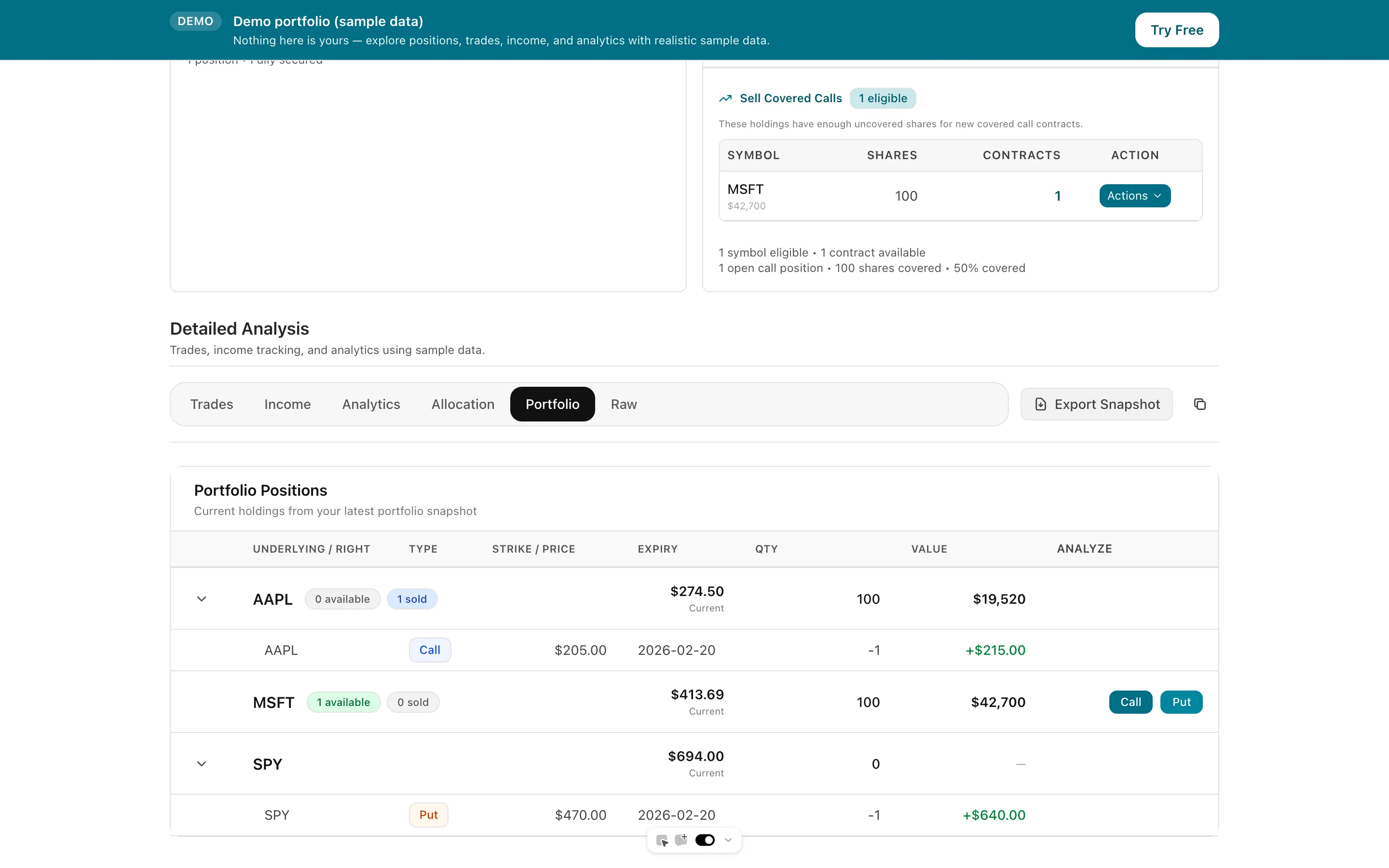
Schwab approves options by level, and a new account will likely start at level 0, and cash-secured puts need level 0 or higher (Schwab help, verified 2026-11-06). Higher levels add long options, spreads, and uncovered positions. Where thinkorswim stops is the ledger across time and across accounts: its Analyze tab simulates a trade and draws a theoretical risk profile, but it does not rebuild the cost basis of a wheel after three rolls and an assignment. Days to Expiry is built for that gap. Connect Schwab through SnapTrade, let assignment, expiration and exercise events close the right legs, and see per-leg P&L, premium collected by week and month, and the shares that came out of a put assignment. If you also run Interactive Brokers, it joins the same view through Flex Query sync. Start with the free screener and the demo portfolio; no credit card.
Tap to view full size
Simulation Is Not History — thinkorswim's Analyze tab builds simulated trades and a theoretical risk profile; it is a planning tool, not a record of what each roll did to your basis (Schwab, verified 2026-11-06)
Assignments Break the Chain — A put assigned into shares and a covered call written against them are separate events in the account; the combined cost basis is on you
Level Gates Shape the Strategy — Cash-secured puts need level 0 or higher at Schwab, so wheel traders start in strategies that already need heavy bookkeeping
More Than One Login — Schwab plus an IRA, plus another broker, means several portals and a spreadsheet to reconcile
OAuth sign-in on Schwab's own site; credentials never reach Days to Expiry
Premiums and assignments tied to the shares you end up holding
Spreads and rolled positions broken down leg by leg
Assignment, expiration and exercise events close the matching legs instead of leaving stale open rows
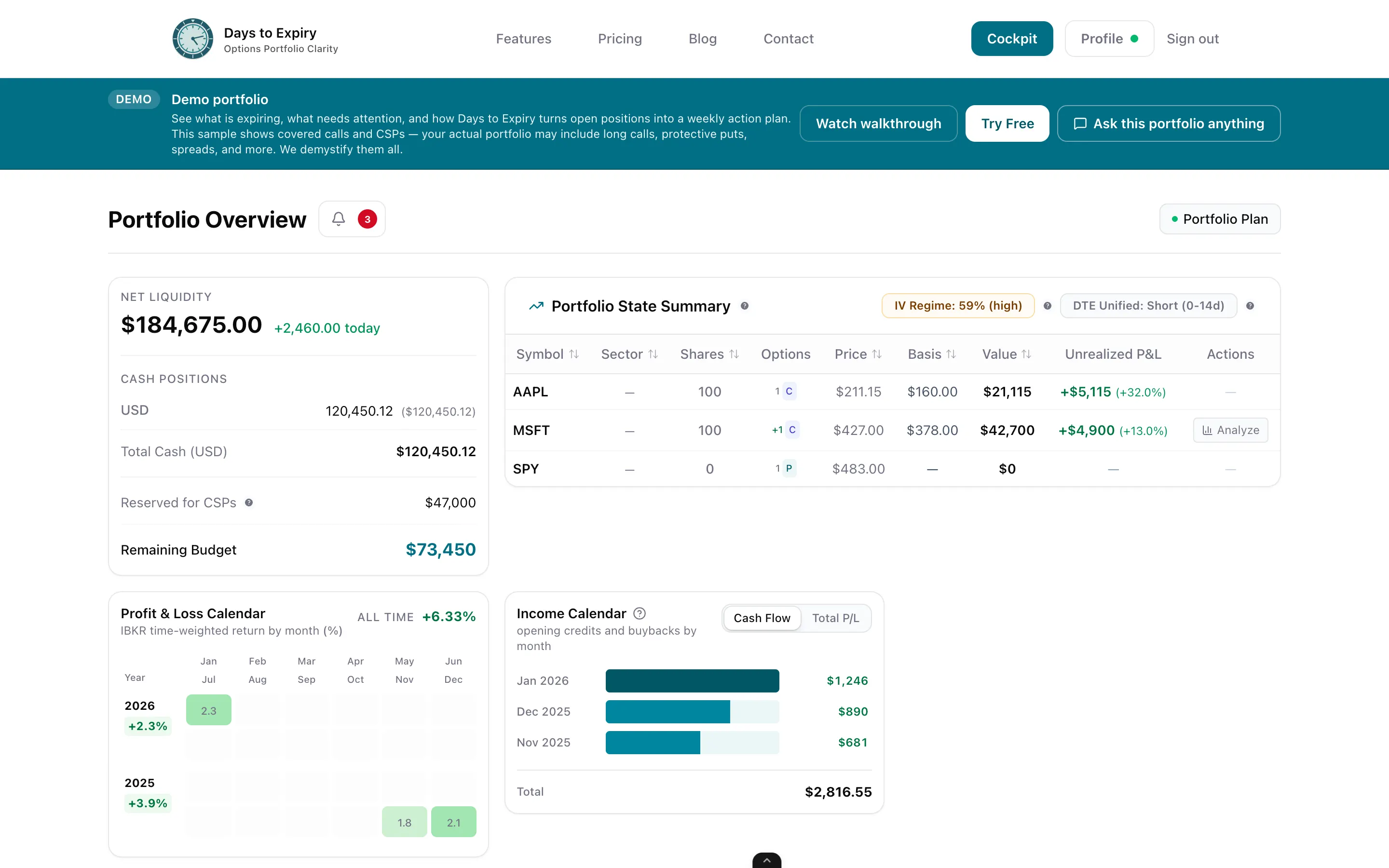
What is expiring, what to roll, and what cash is free, from the whole book
Upload a broker CSV when you want history the connection does not return
Tap to view full size
Choose Schwab in the SnapTrade connection portal and sign in on Schwab's website. SnapTrade's Schwab integration page lists OAuth sign-in and access to balances, holdings and transaction history for US accounts (snaptrade.com, verified 2026-11-06). Days to Expiry reads positions, orders and activities and never places a trade.
Assignment, expiration and exercise activities from the connection are mapped to the matching close, so an expired or assigned leg is closed rather than left as a stale open row, and an assigned put shows up as a stock position. If a history window is thin, upload a CSV and the rows go through the same pipeline.
See open risk, premium by period, and cost basis per position. Add IBKR through Flex Query sync or another broker through SnapTrade, and the plan works from the combined book.
Trial card
Not required
Brokers via SnapTrade
30+
Schwab connection
OAuth sign-in
Portfolio Trial
14 days with every new account
| Spec | Value | Source |
|---|---|---|
| Options approval levels | Schwab describes levels 0 to 3: level 0 is the entry level (covered strategies), level 1 adds long calls and puts, straddles and strangles, level 2 adds spreads, level 3 adds uncovered positions. A new client will likely be approved for level 0, and cash-secured puts need level 0 or higher. | Verified 2026-11-06 |
| thinkorswim Analyze tab | Builds simulated trades and plots a risk profile of expiration value against today's value; Schwab states the probabilities are theoretical, based on option-pricing models. | Verified 2026-11-06 |
| Schwab on SnapTrade | OAuth sign-in on Schwab's site, US region; data covers balances, total market value, holdings and transaction history. Schwab's account types are not specified on SnapTrade's page. | Verified 2026-11-06 |
| Days to Expiry Portfolio price | Portfolio $50/mo ($500/yr). Amounts from live Stripe prices API backing /pricing. | Verified 2026-10-12 |
The same post-trade tracking for a tastytrade account
Premiums collected and ROI by week and month
Cost basis across the full put, assignment, call cycle
If part of the book sits at Robinhood
If part of the book sits at Fidelity
Free income-focused scanning before your next order
Everything you need to know about getting started
